
Hyperbola and Tangent Demonstration
Loading the math board and drawing, please wait…
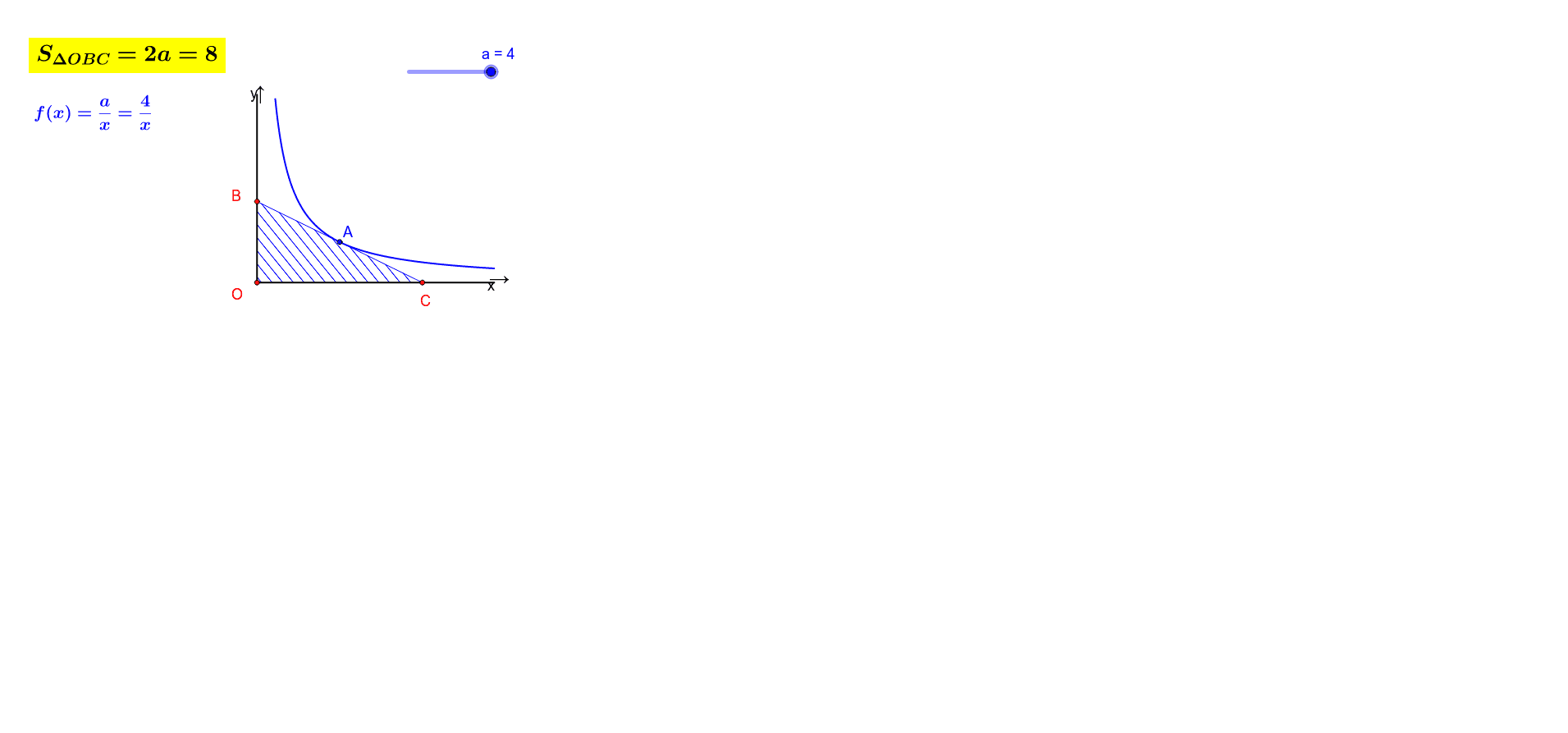
This example shows a hyperbola together with the tangent line at a movable point on the curve. The key mathematical concepts are the standard equation of a hyperbola, the geometric definition of a tangent, the derivative as the slope of the tangent, and analytic geometry properties of conic sections. Construction uses GeoGebra commands Point (to create a dynamic point on the hyperbola), Tangent (to draw the tangent at that point), Intersect (to find intersections with axes or other objects), Polygon and Segment (to build auxiliary polygons and segments), and several text objects for labeling coordinates and formulas. It is suitable for high‑school conic sections lessons, university calculus courses illustrating the geometric meaning of derivatives, and as a resource for interactive geometry construction and dynamic visualization.
GeoGebra Commands & Parameters
Point(f) → ATangent(A, f) → gIntersect(g, yAxis) → BIntersect(g, xAxis) → CPolygon((0, 0), B, C) → poly1, c, h, bSegment(D, E) → iSegment(F, G) → j
AI Drawing Prompt Reference
Draw a standard hyperbola with a movable point on it. Construct the tangent line at that point, which intersects the y-axis and x-axis at two points. Form a right triangle using the origin and these two intersection points as vertices, and display its three sides. Additionally, add two auxiliary segments for labeling or connecting other geometric elements. Finally, include text labels at key positions to show coordinates and formulas, such as the hyperbola equation and tangent slope.
The prompt above was compiled from the original drawing commands and is for reference only.