
How Many Ounces? – An Interactive Exploration of Unit Conversion and Geometry
Loading the math board and drawing, please wait…
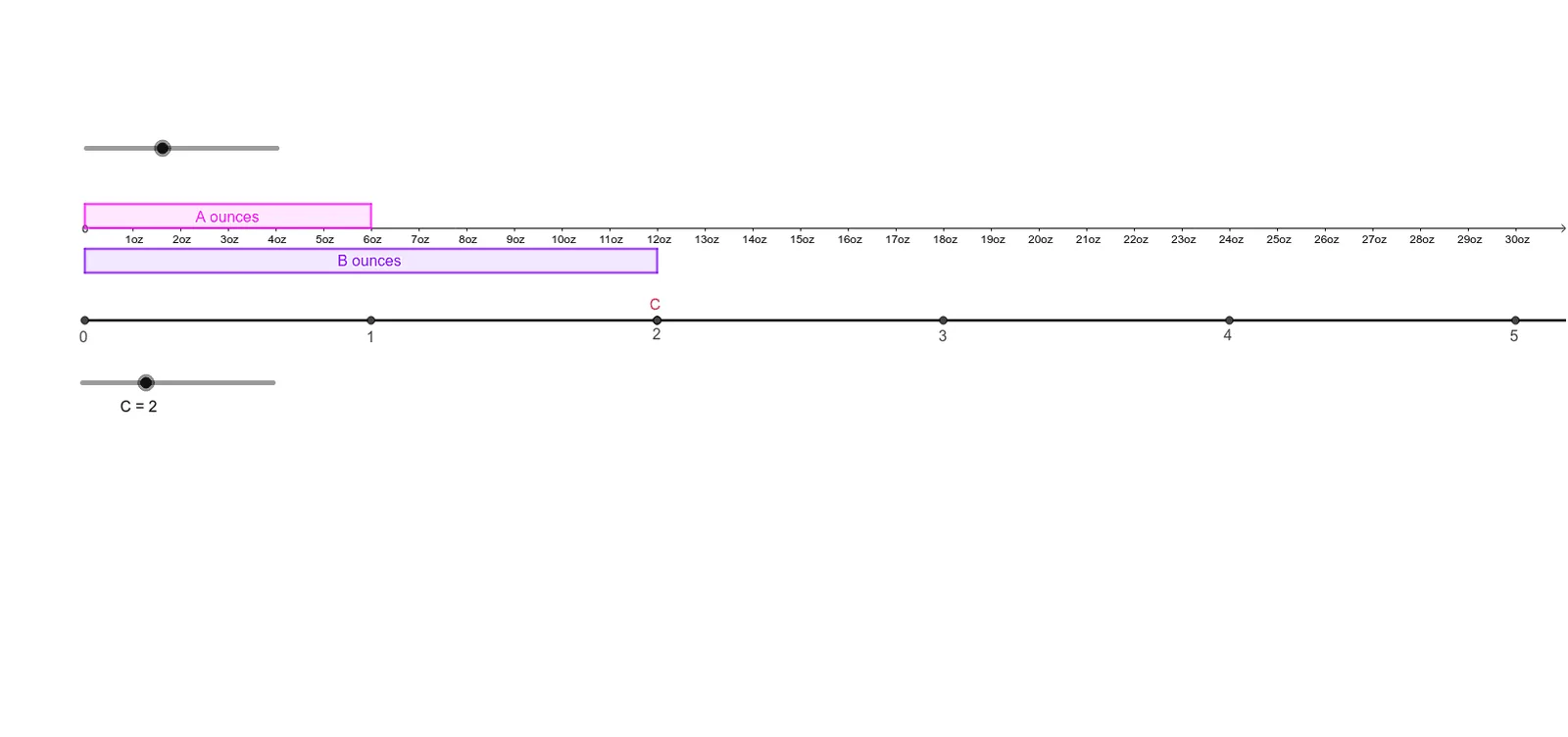
This GeoGebra example presents an interactive geometric scenario that visualizes the question 'How many ounces?' It combines arithmetic operations with geometric constructions to illustrate proportional relationships between units of measurement. The core mathematical concepts include multiplication, arithmetic comparison, properties of the unit circle, quadratic functions, and introductory ideas of roots and random experiments. The construction employs GeoGebra commands such as Point, OrthogonalLine, Circle, Intersect, Polygon, Segment, and Ray, creating a rich set of objects (N, M, A, f, B, g, c, d, C, D, h, i, e, E, j, k, F, p, G, q, H, r, I, s, J, t, K, l, L, O, q1, c_1, a, o, l_1, d_1, P, m, Q, q2) that allow dynamic manipulation and observation. This resource is suitable for upper elementary to middle school students, serving as an engaging tool for unit conversion practice, cross-curricular integration of geometry and arithmetic, and a reference for teachers designing interactive math activities.
GeoGebra Commands & Parameters
Point(yAxis) → AOrthogonalLine(A, yAxis) → fPoint(yAxis) → BOrthogonalLine(B, yAxis) → gCircle(A, 0.5) → cCircle(B, 0.5) → dIntersect(c, yAxis, 2) → CIntersect(d, yAxis, 1) → DOrthogonalLine(C, yAxis) → hOrthogonalLine(D, yAxis) → iCircle(D, 1) → eIntersect(e, yAxis, 1) → EOrthogonalLine(E, yAxis) → jCircle(E, N) → kIntersect(k, j, 1) → FCircle(F, N) → pIntersect(p, j, 1) → GCircle(G, N) → qIntersect(q, j, 1) → HCircle(H, N) → rIntersect(r, j, 1) → ICircle(I, N) → sIntersect(s, j, 1) → JCircle(J, N) → tIntersect(t, j, 1) → KOrthogonalLine(F, j) → lIntersect(h, l) → LIntersect(f, l) → OPolygon(C, A, O, L) → q1, c_1, a, o, l_1Circle(B, (M * N)) → d_1Intersect(d_1, g, 1) → POrthogonalLine(P, g) → mIntersect(i, m) → QPolygon(B, P, Q, D) → q2, b, p_1, q_1, d_2Segment(E, F) → nSegment(F, G) → f_1Segment(G, H) → g_1Segment(H, I) → h_1Segment(I, J) → i_1Segment(J, K) → j_1Intersect(j, m) → RIntersect(j, m) → SRay(E, F) → k_1Circle(K, N) → e_1Intersect(e_1, k_1, 2) → TCircle(T, N) → r_1Intersect(r_1, k_1, 2) → UCircle(U, N) → s_1Intersect(s_1, k_1, 2) → VCircle(V, N) → t_1Intersect(t_1, k_1, 2) → WCircle(W, N) → c_2Intersect(c_2, k_1, 2) → ZCircle(Z, N) → e_2Intersect(e_2, k_1, 2) → A_1Circle(A_1, N) → f_2Intersect(f_2, k_1, 2) → B_1Circle(B_1, N) → g_2Intersect(g_2, k_1, 2) → C_1Circle(C_1, N) → h_2Intersect(h_2, k_1, 2) → D_1
AI Drawing Prompt Reference
On a coordinate plane, place two points on the vertical axis and draw horizontal lines through them. Using these points as centers, draw small circles that intersect the axis, yielding additional points. From these, draw more horizontal lines, then use a fixed radius to construct a chain of equally spaced points along one horizontal line, connecting them with segments. Form two rectangles: one bounded by the axis, a horizontal line, and vertical lines; another similar but with different dimensions. Finally, draw a ray from a starting point and place successive circles along it, creating an extended sequence of marks that visually represent proportional unit conversion and geometric relationships.
The prompt above was compiled from the original drawing commands and is for reference only.