
Hexagonal Pyramid by Juan Ortiz DONGERLORD
Loading the math board and drawing, please wait…
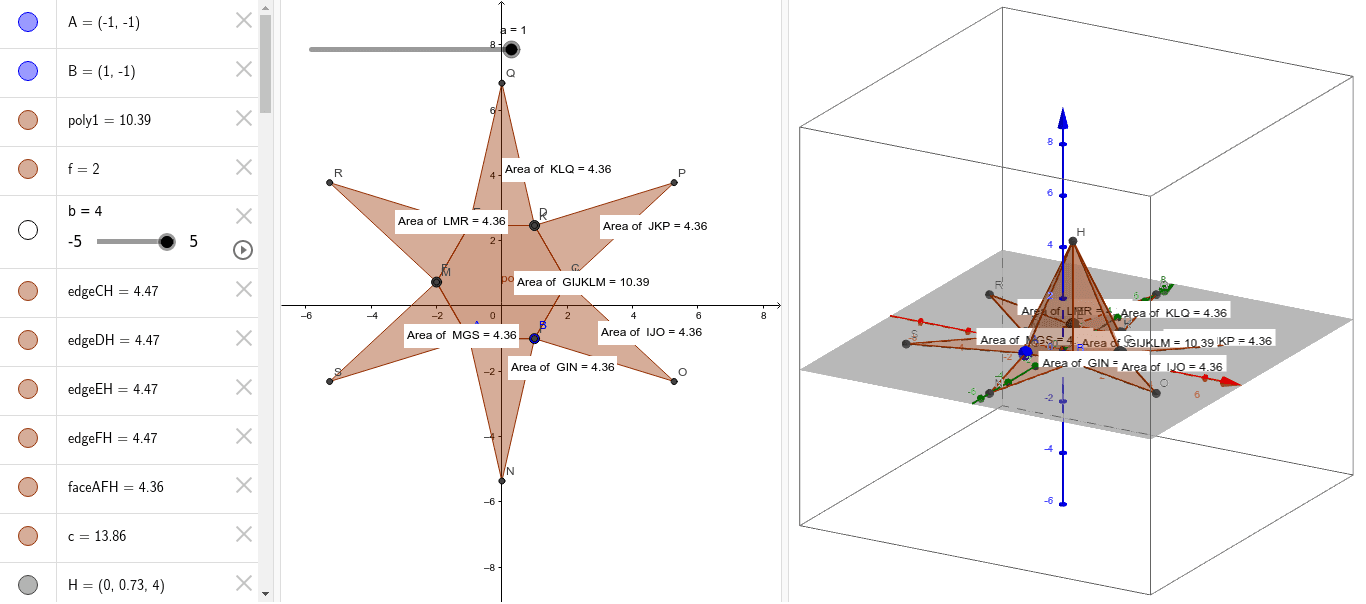
This example demonstrates the construction of a hexagonal pyramid. Key mathematical concepts include polygons and solid geometry. Using GeoGebra commands such as Polygon, Pyramid, Net, and PointIn, the base and sides of the hexagonal pyramid can be constructed. Suitable for students at the junior high school level and above.
GeoGebra Commands & Parameters
Polygon(A, B, 6) → poly1, f, F, g, h, i, j, k, C, D, EPyramid(poly1, b) → c, H, edgeCH, edgeDH, edgeEH, edgeFH, faceABH, faceBCH, faceCDH, faceDEH, faceEFH, faceAFH, edgeAH, edgeBHNet(c, a) → d, G, Q, R, S, faceGIJKLM, faceGIN, faceIJO, faceJKP, faceKLQ, faceLMR, faceGMS, I, edgeGI, edgeIJ, edgeJK, edgeKL, edgeLM, edgeGM, edgeGN, edgeIN, edgeIO, edgeJO, J, edgeJP, edgeKP, edgeKQ, edgeLQ, edgeLR, edgeMR, edgeMS, edgeGS, K, L, M, N, O, PPointIn(faceKLQ) → PointfaceKLQPointIn(faceLMR) → PointfaceLMRPointIn(faceGMS) → PointfaceGMSPointIn(faceGIN) → PointfaceGINPointIn(faceIJO) → PointfaceIJOPointIn(faceJKP) → PointfaceJKPPointIn(faceGIJKLM) → PointfaceGIJKLM
AI Drawing Prompt Reference
Draw a regular hexagonal pyramid with a regular hexagonal base and an apex directly above the center. First construct the hexagonal base, then connect the apex to each base vertex to form six triangular lateral faces. Then unfold the lateral surface into a flat net consisting of a central hexagon surrounded by six triangles, and place one point inside each triangular face and the central hexagon. Show both the solid pyramid and its net for comparison.
The prompt above was compiled from the original drawing commands and is for reference only.