
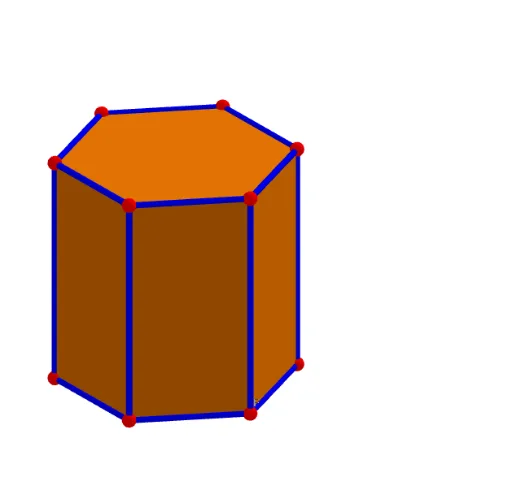
Hexagonal Prism by Helen Bates
Loading the math board and drawing, please wait…
This example demonstrates the construction of a hexagonal prism. It involves key concepts in polygons and solid geometry. Using GeoGebra commands such as Intersect, Point, Polygon, and Prism, various faces and edges of the hexagonal prism are constructed. Suitable for middle school and above students or teachers for teaching and learning.
GeoGebra Commands & Parameters
Intersect(xAxis, yAxis) → APoint(yAxis) → BPolygon(A, B, 6) → poly1, f, F, g, h, i, j, k, C, D, EPrism(poly1, 5.880441876010835) → a, G, faceDEKJ, faceEFLK, faceAFLG, faceGHIJKL, edgeAG, edgeBH, edgeCI, edgeDJ, edgeEK, edgeFL, H, edgeGH, edgeHI, edgeIJ, edgeJK, edgeKL, edgeGL, I, J, K, L, faceABHG, faceBCIH, faceCDJIIntersect(g, h) → MIntersect(h, i) → NIntersect(i, j) → OIntersect(j, k) → P
AI Drawing Prompt Reference
Draw a hexagonal prism by first creating points A and B on the y-axis, then drawing a hexagon with A and B as starting points. Next, extend the hexagon to form the sides and bases of the prism. Ensure all edges and faces are correctly connected.
The prompt above was compiled from the original drawing commands and is for reference only.