
H Fractions & Attached Text GeoGebra Example
Loading the math board and drawing, please wait…
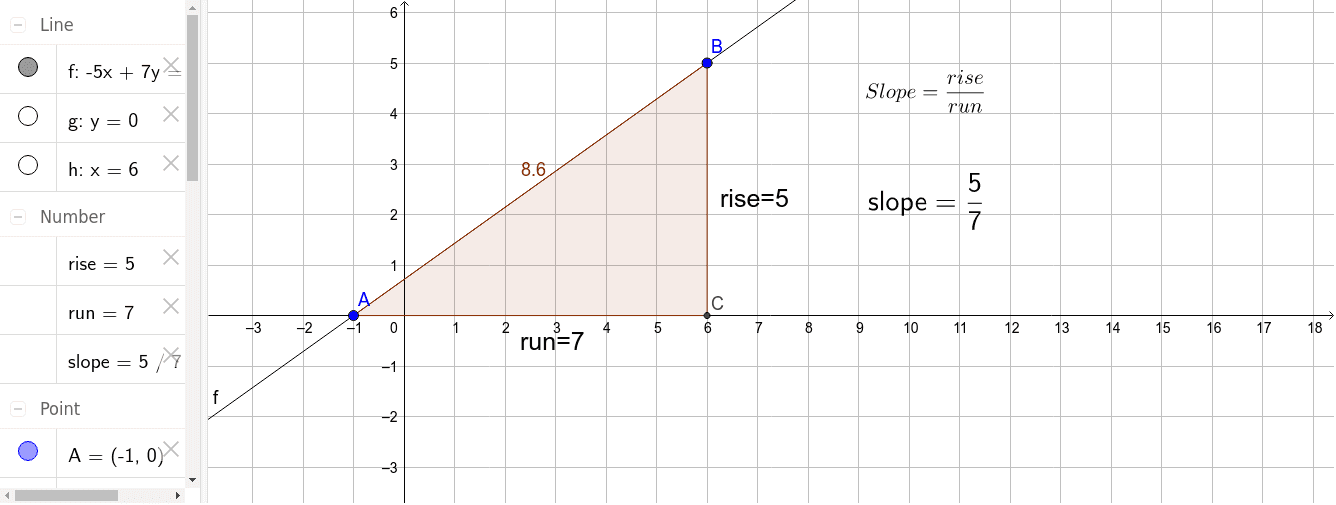
This example demonstrates creating fraction representations and associated text annotations in GeoGebra. It involves core math concepts like fractions, algebra, perimeter, tangent function, circumcircle, and prism. Construction highlights include using commands such as Line, OrthogonalLine, Intersect, Polygon, and Midpoint. Suitable for middle school and above learners to understand geometric constructions and algebraic applications.
GeoGebra Commands & Parameters
Line(A, B) → fOrthogonalLine(A, yAxis) → gOrthogonalLine(B, xAxis) → hIntersect(g, h) → CPolygon(A, C, B) → poly1, b, a, cMidpoint(a) → DMidpoint(b) → E
AI Drawing Prompt Reference
Draw a shape formed by two perpendicular lines intersecting at a point, with each line being orthogonal to an axis. Create a triangle at the intersection point and label its three sides. Then, find the midpoints of two sides of the triangle and draw a line connecting these midpoints. Finally, add relevant mathematical symbols and text inside the triangle to represent fractions and geometric concepts.
The prompt above was compiled from the original drawing commands and is for reference only.