
Group 11: Rotational/Reflective Construction with Rhombus and Scalene Triangles
Loading the math board and drawing, please wait…
In collections
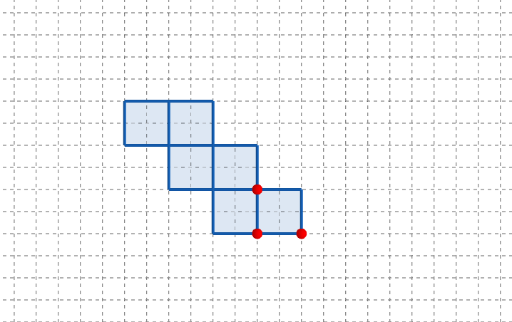
長方體有多少個摺紙圖樣?
This example demonstrates how to build a composite geometric pattern by applying rotation-based transformations (yielding symmetric/reflective configurations) so that rhombus-related shapes and scalene triangles (non-equal side lengths) emerge within one coordinated diagram. The core ideas include geometric constructions with polygons, transformation geometry (rotation symmetry and mirrored-copy effects), and parameter-driven motion that reveals how the figure changes continuously. It also incorporates cuboid-style dimensions (length/width/height parameters) to connect planar construction with solid-geometry parameters. Construction is carried out using GeoGebra commands Point, Polygon, and Rotate: key points (A, B, C and multiple parameter points such as q1, q2–q6, plus t, l, w, h) define the polygons, while Rotate creates rotated copies that serve as the symmetric counterparts (q2', q4', q5', q6', t'). Buttons (button1, button2) control steps or animation updates, and text labels (text1) annotate important parts of the construction. Suitable for middle and high school geometry lessons on constructions and transformations, as well as for introductory parametric modeling with solid-geometry parameters.
GeoGebra Commands & Parameters
Point(Ray[(1, 0), (3, 0)]) → APoint(Ray[A + (1, 0), A + (2, 0)]) → CPoint(Ray[A + (0, 1), A + (0, 2)]) → BPolygon({(0, 0), A, B, (0, y(B))}) → q1Polygon({A, C, (x(C), y(B)), B}) → q2Polygon({((-w), w + h), ((-w), w + h + l), ((-w) - h, w + h + l), ((-w) - h, w + h)}) → q3Polygon({B, B + (0, h), B + ((-l), h), B + ((-l), 0)}) → q4Polygon({((-w), w + h), (0, w + h), (0, w + h + l), ((-w), w + h + l)}) → q5Polygon({(0, w), (0, w + h), ((-w), w + h), ((-w), w)}) → q6Rotate(q4, (90° * t), Line[(0, w), B]) → q4'Rotate(q2, (90° * t), Line[B, A]) → q2'Rotate(Rotate[q6, (90° * t), Line[(0, w), (0, w + h)]], (90° * t), Line[(0, w), B]) → q6'Rotate(Rotate[Rotate[q5, (90° * t), Line[((-w), w + h), (0, w + h)]], (90° * t), Line[(0, w), (0, w + h)]], (90° * t), Line[(0, w), B]) → q5'Rotate(Rotate[Rotate[Rotate[q3, (90° * t), Line[((-w), w + h), ((-w), w + h + l)]], (90° * t), Line[((-w), w + h), (0, w + h)]], (90° * t), Line[(0, w), (0, w + h)]], (90° * t), Line[(0, w), B]) → q3'
AI Drawing Prompt Reference
Draw a composite geometric pattern formed by rhombuses and scalene triangles using rotational and reflective transformations to achieve symmetric and mirrored configurations. Start by constructing a rhombus and a scalene triangle, then rotate copies of these shapes around their vertices and centers. Use parameters to control the rotation angles, showing how the figure changes continuously. Finally, connect the planar constructions to cuboid dimensions (length, width, height) to create a complex pattern integrating 2D and 3D geometric elements.
The prompt above was compiled from the original drawing commands and is for reference only.