
Graphing Linear Functions (1)
Loading the math board and drawing, please wait…
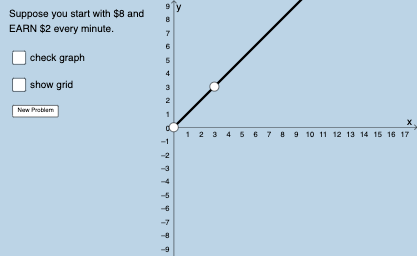
This example demonstrates how to plot linear functions, showing the relationship between lines and coordinate axes. Key mathematical concepts include linear equations, slope, and intercepts. Construction involves GeoGebra commands like Union, Sequence, Slope, and Intersect. Suitable for middle or high school math teaching to understand basic function graph characteristics.
GeoGebra Commands & Parameters
Union(Sequence[-20, -1], Sequence[1, 20]) → numlistSequence(1, 10) → denomlistSequence(-20, 20) → blistSequence(11, 50) → nRandomElement(blist) → bFractionText(s) → text1Denominator(s) → aSequence(i, i, 1, 20, 1) → kseqRandomElement(kseq) → kSequence((a * i), i, 5, 75, 1) → deonm2listRandomElement(deonm2list) → chosenansPointIn(x ≥ 0) → APointIn(x ≥ 0) → BSlope(eq1) → cIntersect(eq1, x = 0) → CLine(A, B) → f_1
AI Drawing Prompt Reference
Draw a line with a random integer slope between -20 and 20 and a random integer y-intercept between 1 and 20. First, select two non-negative integer points A and B on the x-axis and draw a line f_1 through these points. Then, generate a random linear equation y = kx + b where k and b are random integers, ensuring k is between 1 and 20 and b is between 1 and 20. Finally, calculate the slope c of the line and its intersection point C with the y-axis.
The prompt above was compiled from the original drawing commands and is for reference only.