
Graphing and Writing Equations of Proportional Relationships
Loading the math board and drawing, please wait…
In collections
Proportional Relationships
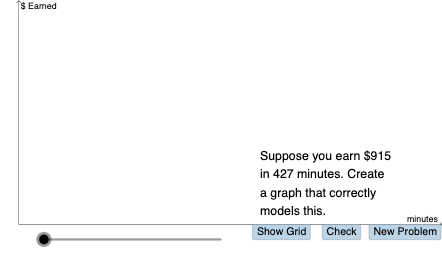
This example demonstrates how to graph proportional relationships and write their equations. Core mathematical concepts include direct proportional relationships (y=kx), the meaning of proportionality coefficient k, characteristics of linear function graphs, and the concept of slope. Construction highlights: using PointIn command to create coordinate points, Vector and Segment commands to draw vectors and line segments showing slope changes, Textfield for parameter interaction, and If command for conditional logic. Suitable for middle school mathematics curriculum, helping students understand the connection between proportional relationships and linear functions, master bidirectional conversion between graphs and equations, and develop mathematical thinking combining numbers and shapes.
GeoGebra Commands & Parameters
PointIn(g_1) → DRandom(1, 15) → y_1Random(1, 15) → x_1Random(20, 75) → kDilate(B, If[0 < a ≤ 1, 1 - a, 0], A) → B'Vector(B, B') → uDilate(A, If[2 < a ≤ 3, 3 - a, 0], (0, y(D))) → A'Vector(A, A') → vDilate(A', If[3 < a ≤ 4, 4 - a, 0], D) → C'Dilate(D, If[5 < a ≤ 6, 6 - a, 0], (x(D), y(D) + y(A'))) → D'Vector(D, D') → cDilate(D', If[6 < a ≤ 7, 7 - a, 0], (x(D') + x(D), y(D'))) → E'Dilate(A, If[8 < a ≤ 9, 9 - a, 0], D) → A'_{1}Segment(A, A'_{1}) → gDilate(D, If[9 < a ≤ 10, 10 - a, 0], E) → D'_{1}Random(-10, 10) → b_1Random(-10, 10) → n_1Random(1, 10) → d_1If(s ≥ 0, "earn", "lose") → text7If(d > 1, "hours", "hour") → text8Textfield(p) → InputBox3Textfield(o) → InputBox1If(o ≟ n_1 / d_1, "Yes!", "no") → text9If(p ≟ q, "Yes!", "no") → text10Vector(A', C') → wVector(D', E') → eDilate(D, If[9 < a ≤ 10, 10 - a, 0], E') → D'_{2}Segment(D, D'_{2}) → hTextfield(q_1) → InputBox2If(q ≟ q_1, "Nice job!", "No. Try again.") → text17
AI Drawing Prompt Reference
Draw a coordinate system with point D on a line. Adjust the position of point D to change the slope of the line. Create vector u with point D and point B to show slope changes. Then, create vector v with point A and point A' to show slope changes. Next, create vector c with point D and point D' to show slope changes. Finally, create vector e with point D and point D' to show slope changes. Throughout the process, observe the changes in the slope by adjusting the position of points and understand the connection between proportional relationships and linear functions.
The prompt above was compiled from the original drawing commands and is for reference only.