
Graph the Line - CHS
Loading the math board and drawing, please wait…
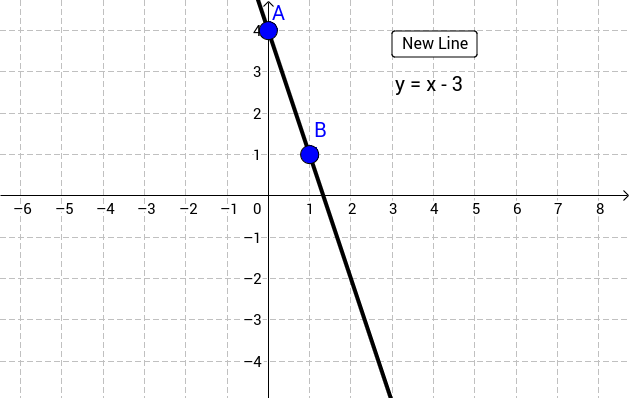
This example demonstrates drawing a line by dragging points A and B. It illustrates the basic properties of a line and involves the concept of linear equations in coordinate geometry. The Line command in GeoGebra is used to dynamically show how the line changes as points A and B are adjusted. Suitable for middle school and above students to learn linear equations and geometric construction.
GeoGebra Commands & Parameters
Line(A, B) → b
AI Drawing Prompt Reference
Draw a coordinate plane with a straight line determined by two draggable points. Place two points on the plane, then connect them with a line. When either point is moved, the line updates dynamically, showing that two points define a unique line. Include axes, the two movable points, and the line passing through them. Keep the visualization clean and simple for demonstrating linear equations and geometric construction.
The prompt above was compiled from the original drawing commands and is for reference only.