
Graph Quadratic Function
Loading the math board and drawing, please wait…
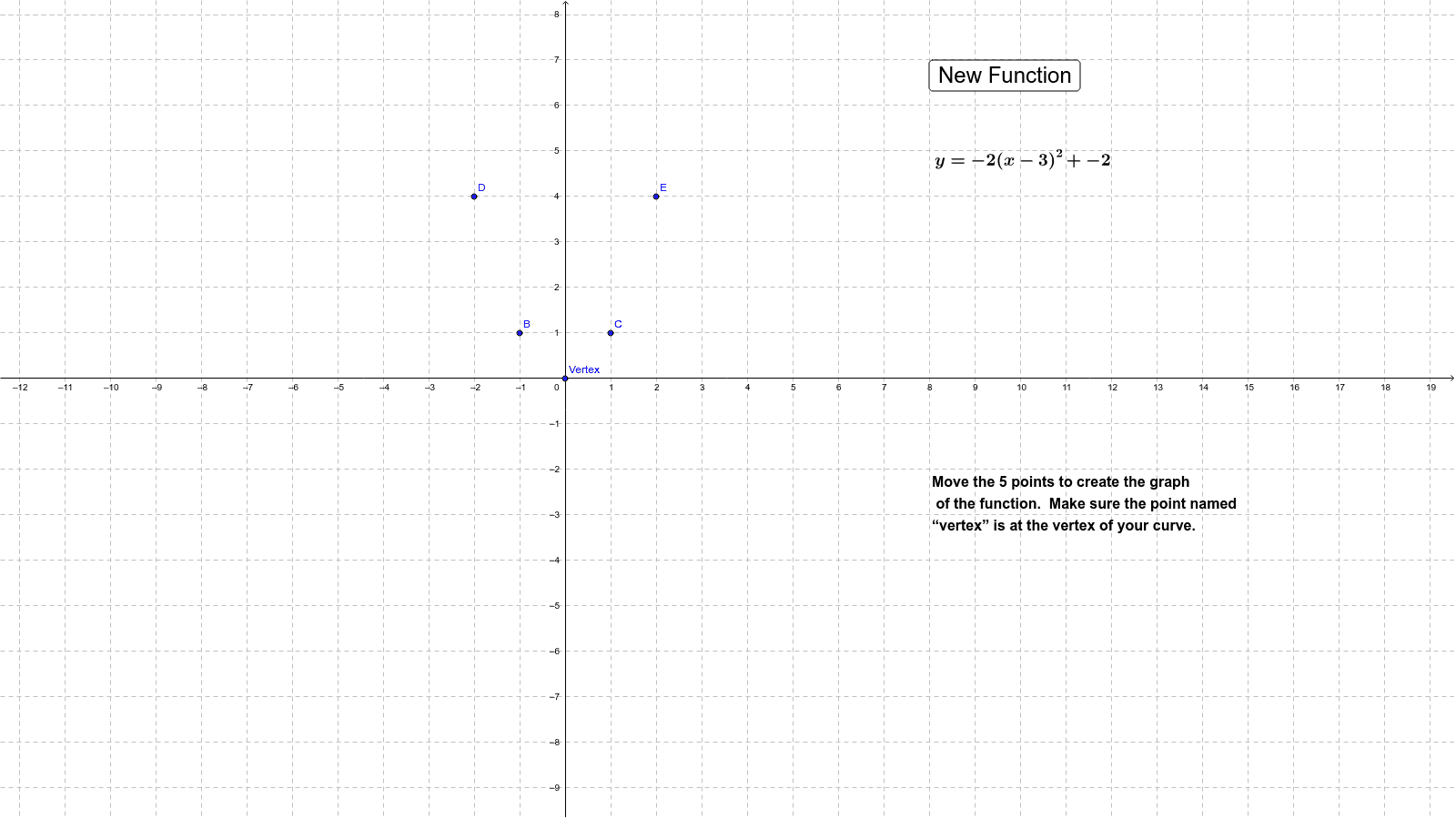
This example demonstrates how to graph a quadratic function given its vertex form equation. Key math concepts include quadratic functions, vertex form, and curve sketching. It utilizes GeoGebra commands like RandomElement, Conic; and objects such as a, k, h, c, Vertex, B, C, D, E, e, text1, button1, text2, text3 for construction. Suitable for high school students learning quadratic function graphing and vertex form applications.
GeoGebra Commands & Parameters
RandomElement({-3, -2, -1, 1, 2, 3}) → aRandomElement({-5, -4, -3, -2, -1, 0, 1, 2, 3, 4, 5}) → kRandomElement({-12, -11, -10, -9, -8, -7, -6, -5, -4, -3, -2, -1, 0, 1, 2, 3, 4, 5, 6, 7, 8, 9, 10, 11, 12}) → hConic(Vertex, B, C, D, E) → e
AI Drawing Prompt Reference
Draw a quadratic function graph in vertex form with a vertex at (h, k) and a random a value, ensuring a is not zero. First, plot the vertex, then use the vertex and random a value to draw the parabola. Finally, show the equation of the parabola and the vertex coordinates.
The prompt above was compiled from the original drawing commands and is for reference only.