
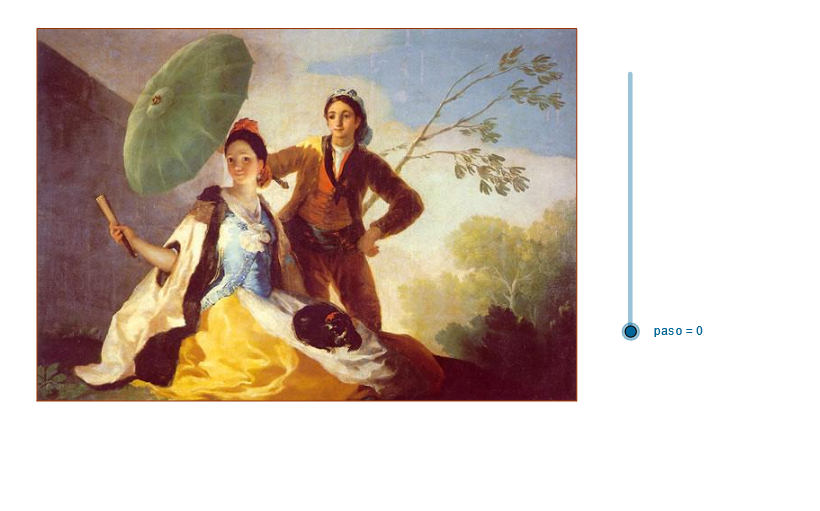
Goya's Sunshade
Loading the math board and drawing, please wait…
In collections
geometriadinamica.es
This example demonstrates the geometric construction of Goya's sunshade. It involves concepts such as circles, polygons, and transformations. Using GeoGebra commands like If, Line, and OrthogonalLine, the shape of the sunshade can be dynamically constructed. Suitable for high school geometry and coordinate geometry courses.
GeoGebra Commands & Parameters
If(paso > 0 ∧ paso < 7, 1, 0) → t_1If(paso > 1 ∧ paso < 7, 1, 0) → t_2If(paso > 2 ∧ paso < 7, 1, 0) → t_3If(paso > 3 ∧ paso < 7, 1, 0) → t_4If(paso > 4 ∧ paso < 7, 1, 0) → t_5If(paso > 5 ∧ paso < 7, 1, 0) → t_6Line(H1, H2) → aLine(A, a) → bOrthogonalLine(A, a) → cPoint(b) → BDilate(B, pr, A) → DilCircle(A, Dil) → dIntersect(d, c) → D5, COrthogonalLine(C, c) → eOrthogonalLine(B, b) → fIntersect(f, e) → DPolygon(A, B, D, C) → P, a_1, b_1, d_1, c_1OrthogonalLine(B_1, c_1) → gIntersect(g, c_1) → ESegment(E, B) → hMidpoint(D, C) → FMidpoint(A, B) → GLine(F, G) → iOrthogonalLine(B_2, i) → jPoint(i) → HIntersect(i, j) → ISegment(H, I) → kLine(B_3, k) → lMirror(E, l) → E'Mirror(B, l) → B'Segment(E', B') → mSegment(B_4, D) → nPoint(n) → JSegment(J, A) → pSegment(C, B_5) → qPoint(q) → LSegment(L, B) → rOrthogonalLine(B_6, c_1) → sIntersect(p, s) → NLine(N, r) → tIntersect(t, a_1) → MOrthogonalLine(N, a_1) → e_1Intersect(e_1, a_1) → OSegment(N, M) → f_1Segment(N, O) → g_1
AI Drawing Prompt Reference
Draw a geometric shape demonstrating the use of circles, polygons, and transformations. Start by drawing a line segment and create a perpendicular line from it. Then, construct a circle by scaling and rotating a point, and find its intersections with the perpendicular line. Use these points to form a quadrilateral and expand the shape through mirroring and connecting operations. Finally, add some auxiliary line segments and perpendicular lines to complete the dynamic construction of the figure.
The prompt above was compiled from the original drawing commands and is for reference only.