
Golden Ratio 120-Polyhedron Animation
Loading the math board and drawing, please wait…
In collections
Polyeder, whose coordinates are golden numbers
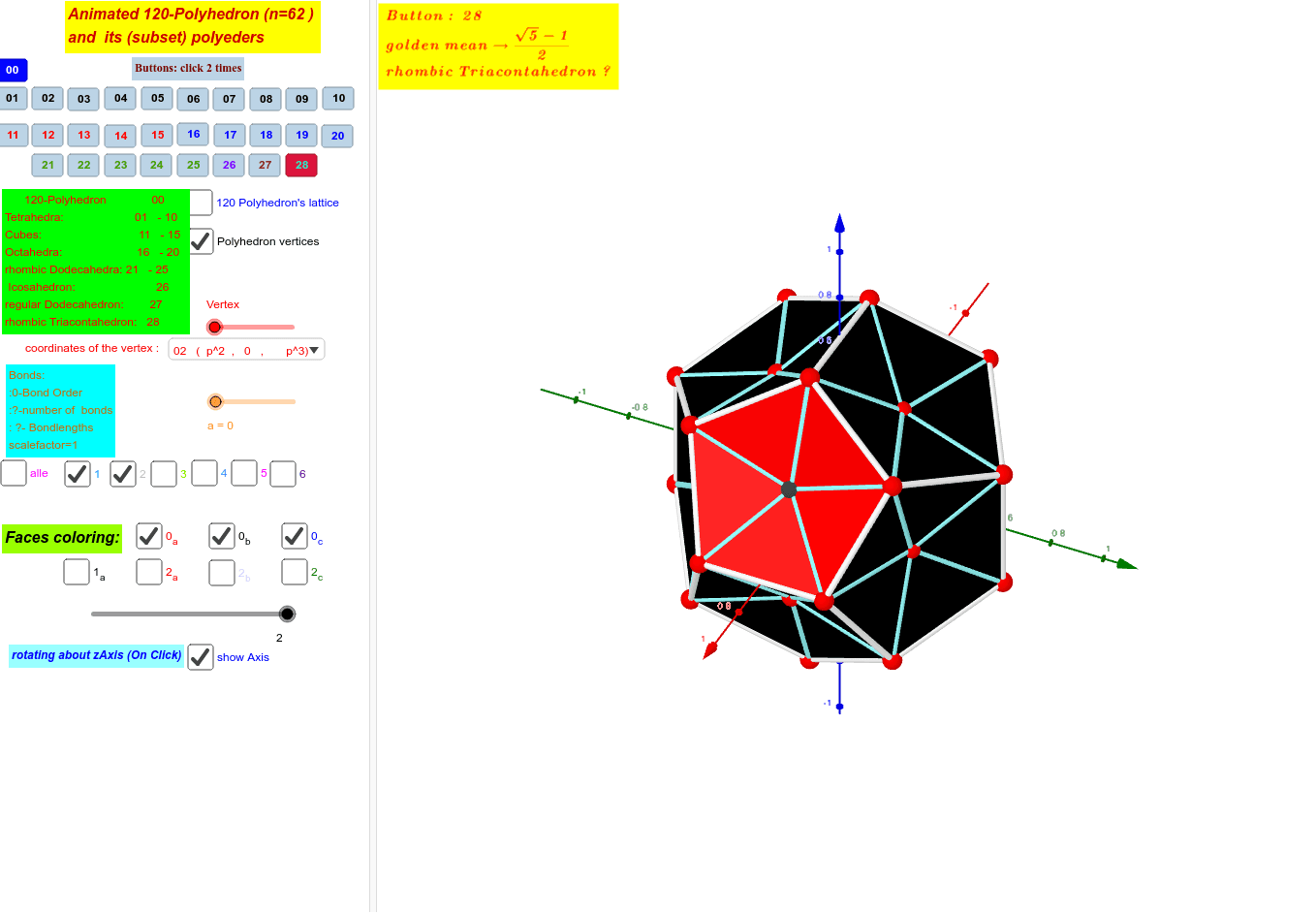
This example demonstrates the dynamic animation of the golden ratio 120-polyhedron, involving core mathematical concepts like the golden ratio p=(sqrt(5)∓1)/2, solid geometry, and coordinate geometry. It utilizes GeoGebra commands and objects such as If, Sequence, Length, Join, Sort, Element, LaTeX, matrix2, a_40, r, a_4, a_4scale, etc. Suitable for high school students and math enthusiasts to explore complex polyhedra and the application of the golden ratio.
GeoGebra Commands & Parameters
If(b, 1, a_4scale) → scalefactorIf(b, q1, 1 + q1) → qSequence(((scalefactor * Element[Element[matrix2, i], 1]), (scalefactor * Element[Element[matrix2, i], 2]), (scalefactor * Element[Element[matrix2, i], 3])), i, 1, Length[matrix2]) → A0If(b, lb, lnb) → l00qqbSequence(Segment[((scalefactor * Element[Element[A00, x(Element[l00qqb, i])], 1]), (scalefactor * Element[Element[A00, x(Element[l00qqb, i])], 2]), (scalefactor * Element[Element[A00, x(Element[l00qqb, i])], 3])), ((scalefactor * Element[Element[A00, y(Element[l00qqb, i])], 1]), (scalefactor * Element[Element[A00, y(Element[l00qqb, i])], 2]), (scalefactor * Element[Element[A00, y(Element[l00qqb, i])], 3]))], i, 1, 300) → list1Length(matrix2) → lämx2Join(Sequence[Sequence[Segment[Element[A0, i], Element[A0, j]], j, i + 1, lämx2], i, 1, lämx2 - 1]) → l00rSort(Union[l01r, l01r]) → l01sortrSequence(KeepIf[If[i ≟ 1, x ≤ Element[l01sortr, i], If[i ≟ lämx2, Element[l01sortr, i - 1] < x, Element[l01sortr, i - 1] < x ≤ Element[l01sortr, i]]], l00r], i, 1, lämx2) → la00rElement(la00r, 1) → la11Element(la00r, 2) → la12Element(la00r, 3) → la13Element(la00r, 4) → la14Element(la00r, 5) → la15Element(la00r, 6) → la16Element(la00r, 7) → la17Element(la00r, 8) → la18Element(la00r, a) → la1aSequence(((scalefactor * Element[Element[A00, i], 1]), (scalefactor * Element[Element[A00, i], 2]), (scalefactor * Element[Element[A00, i], 3])), i, 1, 62) → A000Element(A0, Vertex) → AAArLength(l01sortr) → läl01sortrLength(la1a) → läla1aElement(Element[list2, iq + 1], Vertex) → zzz1Element(list5, zzz1) → zzz2If(iq ≟ 0, "120 Polyhedron", If[(iq > 0) ∧ (iq < 11), "Tetrahedra", If[(iq > 10) ∧ (iq < 16), "Cube", If[(iq > 15) ∧ (iq < 21), "Octahedra", If[(iq > 20) ∧ (iq < 26), " rhombic Dodecahedra", If[iq ≟ 26, " Icosahedron", If[iq ≟ 27, " regular Dodecahedron", " rhombic Triacontahedron"]]]]]]) → zzz3LaTeX(If[b, " \frac{\sqrt{5}-1}{2}", " \frac{\sqrt{5}+1}{2}"], true) → tx3LaTeX(If[iq ≟ 0, "120\; Polyhedron", If[(iq > 0) ∧ (iq < 11), "Tetrahedron", If[(iq > 10) ∧ (iq < 16), "Cube", If[(iq > 15) ∧ (iq < 21), "Octahedron", If[(iq > 20) ∧ (iq < 26), " rhombic\; Dodecahedron", If[iq ≟ 26, " Icosahedron", If[iq ≟ 27, " regular\; Dodecahedron", " rhombic\; Triacontahedron"]]]]]]], true) → zzz3a
AI Drawing Prompt Reference
Create an animated 3D polyhedron based on the golden ratio, morphing from a 120-cell shape through various regular polyhedra (tetrahedron, cube, octahedron, rhombic dodecahedron, icosahedron, regular dodecahedron, rhombic triacontahedron). The structure consists of many vertices and edges, with vertex coordinates scaled by the golden ratio (√5±1)/2. Edges connect nearby vertices forming a dense network. The object rotates dynamically, with labels showing the current polyhedron name and the golden ratio formula.
The prompt above was compiled from the original drawing commands and is for reference only.