
Geometry Calculations and Relationships: Exploring Triangle and Circle Connectio
Loading the math board and drawing, please wait…
In collections
Complex Math
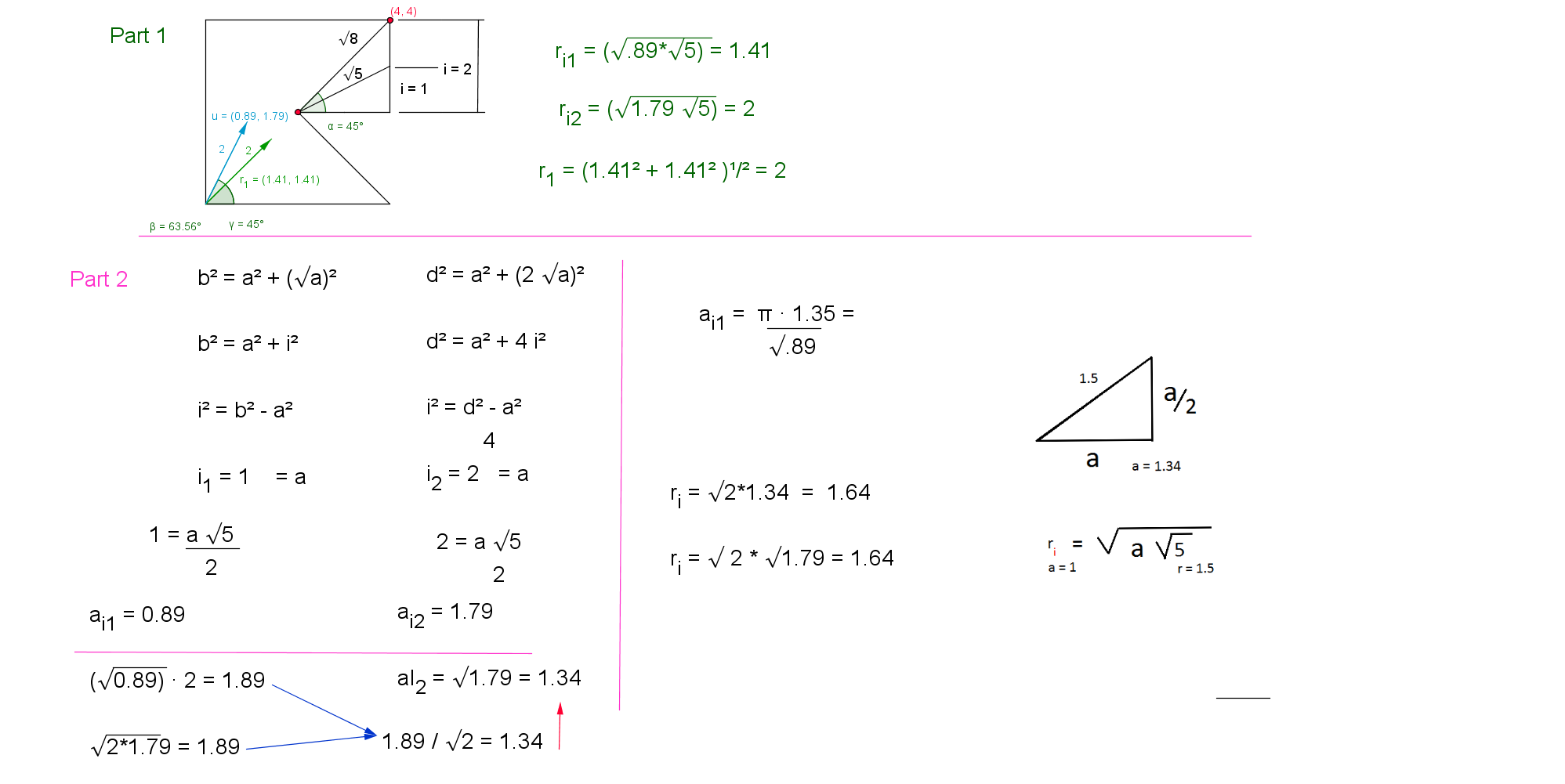
This example demonstrates the mathematical relationships between triangles and circles, using calculations to understand geometric properties. Key concepts include trigonometry, circle equations, and geometric construction. Construction involves GeoGebra commands like Semicircle, Circle, and Intersect. Suitable for middle school students or high school learners, or for math teaching demonstrations.
GeoGebra Commands & Parameters
Semicircle(C, D) → cSemicircle(D, C) → dSegment(A, D) → aCircle(A, 1) → fSemicircle(E, F) → rSemicircle(F, E) → gPolygon(B, A, C, G) → poly1, b_1, a_1, c_1, g_1Vector((1.414213562373095, 1.414213562373095)) → u_3Vector((1.79, 0.89)) → vSegment(G, B) → eSegment(G, J) → hSegment(G, K) → iAngle(B, G, K) → α_uAngle(B, G, J) → β_vVector((0.89, 1.79)) → wSegment(G, L) → jAngle(B, G, L) → δ_wAngle(J, G, L) → Δ_vCircle(G, K) → kPoint(r) → NPoint(g) → MSegment(N, A) → pSegment(A, M) → qSegment(M, N) → sPolygon(N, C, G, B, M) → poly2, n_1, c_2, g_2, b_2, m_1Vector((2, 1)) → tVector((1, 2)) → uSegment(G, N) → d_1Segment(G, M) → e_1Angle(M, G, N) → α_tSegment(A, R) → k_1Segment(A, Q) → l_1Segment(Q, R) → p_1Circle(A, S) → q_1Distance(G, A) → distanceGAPoint(Circle[A, 3]) → TSegment(A, T) → r_1Point(Circle[G, 3]) → USegment(G, U) → s_1Point(Circle[T, 2.8284271247461903]) → VSegment(T, V) → t_1Distance(G, Q) → distanceGQDistance(G, M) → distanceGMSegment(G, M) → a_2Segment(W, Z) → d_2Vector(A_1, B_1) → u_2Vector(C_1, D_1) → v_2Distance(G, N) → distanceGNSegment(G, N) → f_2Segment(G, R) → j_2Segment(G, Q) → k_2Segment(E_1, F_1) → l_2Segment(F_1, G) → m_2Intersect(Ω', p, (1.5269784213985003, 1.997522908117117)) → G_1Point(Ω'') → H_1Segment(Q, K_1) → s_2Intersect(l_2, m_2) → L_1Segment(K_1, L_1) → t_2Segment(R, M_1) → a_3Segment(M_1, G) → b_3Segment(G_1, N_1) → c_3Point(f) → O_1Segment(G_1, O_1) → d_3Segment(O_1, N_1) → e_3Point(c_3) → P_1OrthogonalLine(P_1, c_3) → f_3Segment(O_1, P_1) → g_3Segment(W_1, Z_1) → d_4Segment(W_2, Z_2) → d_5Point(Circle[A, 1.16]) → R_1Segment(A, R_1) → j_3Segment(W_3, Z_3) → d_6Segment(W_4, Z_4) → d_7Textfield(Π) → inputBox1Segment(W_5, Z_5) → d_8Point(Circle[G, 3.141592653589793]) → S_1Segment(G, S_1) → n_3Circle(G, S_1) → p_3Segment(S_1, R_1) → q_3Textfield(Calculator) → inputBox2Segment(W_6, Z_6) → d_9Point(Circle[A, 2.3173260452512934]) → T_1Segment(A, T_1) → r_3Circle(A, T_1) → s_3Segment(N, G_1) → c_4Segment(J_1, Q_1) → e_4
AI Drawing Prompt Reference
Draw a comprehensive geometric figure containing multiple elements: first create two intersecting semicircles, then draw a small circle with one point as center; draw a line segment from a certain point as starting point, take two points on another semicircle, and connect these points to form quadrilaterals or pentagons; draw line segments at multiple positions to form triangular or quadrilateral structures with corresponding angle markings; draw a circle passing through another point with one point as center, take points on the circle, and connect related line segments; finally measure and display distances between key points, presenting a geometric relationship where triangles, circles, semicircles and polygons are nested with each other.
The prompt above was compiled from the original drawing commands and is for reference only.