
Geometric Representation of Complex Square Root Function
Loading the math board and drawing, please wait…
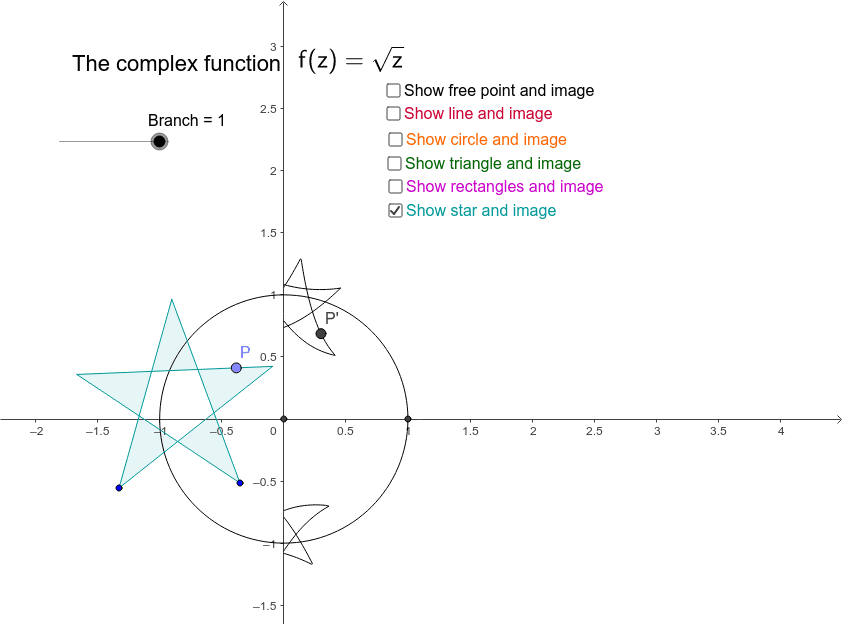
This example demonstrates the geometric representation of the complex square root function. Key mathematical concepts include complex numbers and square roots. Using GeoGebra commands such as Polygon, Circle, and Vector, the properties of complex square roots are visually illustrated. Suitable for high school mathematics education and learning.
GeoGebra Commands & Parameters
Polygon(A, B, C) → poly1, c, a, bCircle(D, E) → dVector(F, G) → uOrthogonalLine(F, u) → ePoint(e) → HTranslate(G, u) → G'_1Translate(H, u) → H'_1Polygon(F, H, H'_1, G) → poly2, f, h, h', gVector(F, G'_1) → vTranslate(F, v) → F'Translate(H, v) → H'Translate(H'_1, v) → ITranslate(G, v) → G'Polygon(F', H', I, G') → poly2', f', h'_1, i, g'Translate(F', v) → F''Translate(H', v) → H''Translate(I, v) → I'Translate(G', v) → G''Polygon(F'', H'', I', G'') → poly2'', f'', h'', i', g''Point(d) → JPoint(poly1) → LPoint(poly2) → MPoint(poly2') → NPoint(poly2'') → OLocus(z, J) → loc1Locus(z_1, L) → loc2Locus(z_2, M) → loc3Locus(z_3, N) → loc4Locus(z_4, O) → loc5Intersect(xAxis, yAxis) → PCircle(P, 1) → kLine(Q, R) → jPoint(j) → SLocus(z_5, S) → loc6Intersect(yAxis, xAxis) → KIntersect(k, xAxis) → T, UPolygon(V, W, 5) → poly3, v_1, w, r, s, t, Z, A_1, B_1Polygon(A_1, W, B_1, Z, V) → poly4, a_1, w_1, b_1, z_6, v_2Point(poly4) → C_1Locus(z_7, C_1) → loc7Angle(U, K, D_1) → αSegment(K, D_1) → pSegment(K, z_8) → qAngle(U, K, z_8) → β
AI Drawing Prompt Reference
Draw a geometric representation of the complex square root function. Start with a trianglehols, then a circle, and a vector. Construct a line perpendicular to the vector through its initial point, pick a point on this line, and translate both the vector's endpoint and this point by the vector to form a parallelogram. Translate this parallelogram twice more in the same direction to create three adjacent parallelograms. Pick points on the circle, inside the triangle, and inside each parallelogram, and trace their loci. Then draw a unit circle centered at the origin, a line with a point on it, and trace that point's locus. Finally, draw a regular pentagon, pick an interior point, trace its locus, and construct an angle with its associated segments.
The prompt above was compiled from the original drawing commands and is for reference only.