
Dynamic Trapezoid: Transforming into Parallelogram, Rectangle, Rhombus, and Squa
Loading the math board and drawing, please wait…
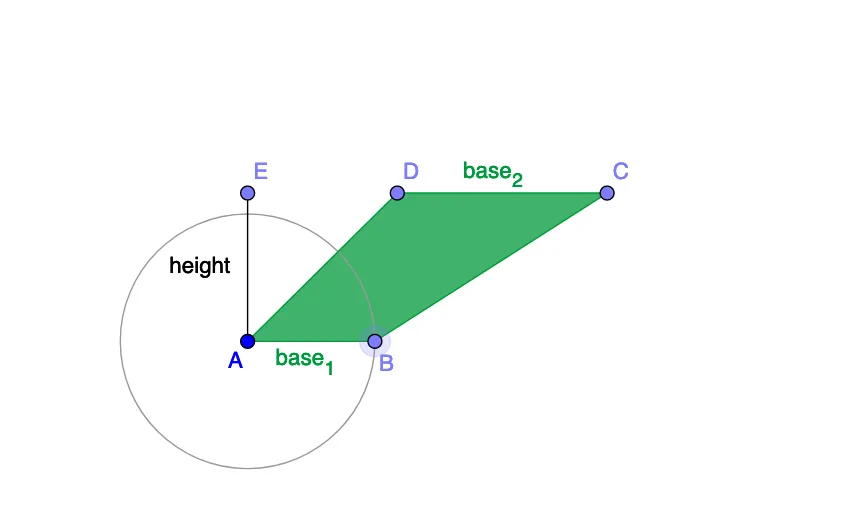
This GeoGebra example presents an interactive quadrilateral that can be dynamically adjusted to represent a trapezoid, parallelogram, rectangle, rhombus, or square. It explores core geometric concepts such as quadrilateral properties, angle relationships, side length ratios, and transformations between shapes. The construction leverages GeoGebra tools including Point, Segment, Angle, Polygon, and Slider commands, allowing users to manipulate base lengths, heights, and angles in real time. Designed for high school geometry and mathematical modeling courses, the applet provides an intuitive visual environment for investigating shape classification and geometric transformations.
GeoGebra Commands & Parameters
Ray(A, J) → aPoint(a) → BRay(A, K) → bPoint(b) → EOrthogonalLine(E, b) → cPoint(c) → DRay(D, G) → dPoint(d) → CPolygon(A, D, C, B) → poly1, a_1, base_2, h, base_1Segment(E, A) → heightAngle(B, A, D) → βAngle(D, C, B) → γCircle(A, B) → e