
Geometric Mean and Linear Regression
Loading the math board and drawing, please wait…
This example demonstrates how to use GeoGebra to draw geometric mean and linear regression. Key mathematical concepts include geometric mean, statistical characteristics, and linear regression. Using commands such as PointIn, Textfield, Segment, and Midpoint, the geometric mean and linear regression can be constructed. Suitable for high school mathematics education and learning.
GeoGebra Commands & Parameters
PointIn(e) → APointIn(e) → BPointIn(e) → CTextfield(f) → InputBox1Textfield(g) → InputBox2Textfield(h) → InputBox3Textfield(i) → InputBox4Textfield(j) → InputBox5Segment(A, B) → kMidpoint(k) → DSegment(A, D) → lSegment(D, B) → mIntersect(p, eq1) → EPolygon(A, E, B) → t1, b_1, a_1, e_1Angle(B, E, A) → αSegment(A, E) → nSegment(E, B) → qIf(C ≟ D, "√", "X") → text6Mode(l1) → l2If(c2, "√", "X") → text8If(c3, "√", "X") → text9If(Length[l2] ≟ 0, "AV's of all digits are different!", "AV's of some digits repeat.") → text7
AI Drawing Prompt Reference
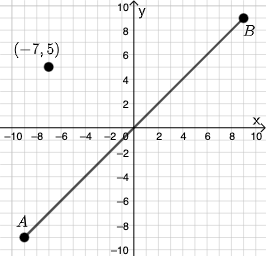
In a coordinate plane, place three points A, B, and C. Provide several input boxes (five fields) for user-entered values to determine a geometric relation. Connect A to B to form a base segment, then mark the midpoint D of segment AB. Draw the two segments AD and DB. Define an intersection point E between the line/segment through the construction and the relation determined by the inputs, then connect A–E and E–B and form the polygonal region with vertices A, E, B. Label the angle ∠BEA as α, and include a text message that switches according to a computed length/condition involving the earlier constructed segments.
The prompt above was compiled from the original drawing commands and is for reference only.