
Geometric Derivation of the Area of a Trapezoid
Loading the math board and drawing, please wait…
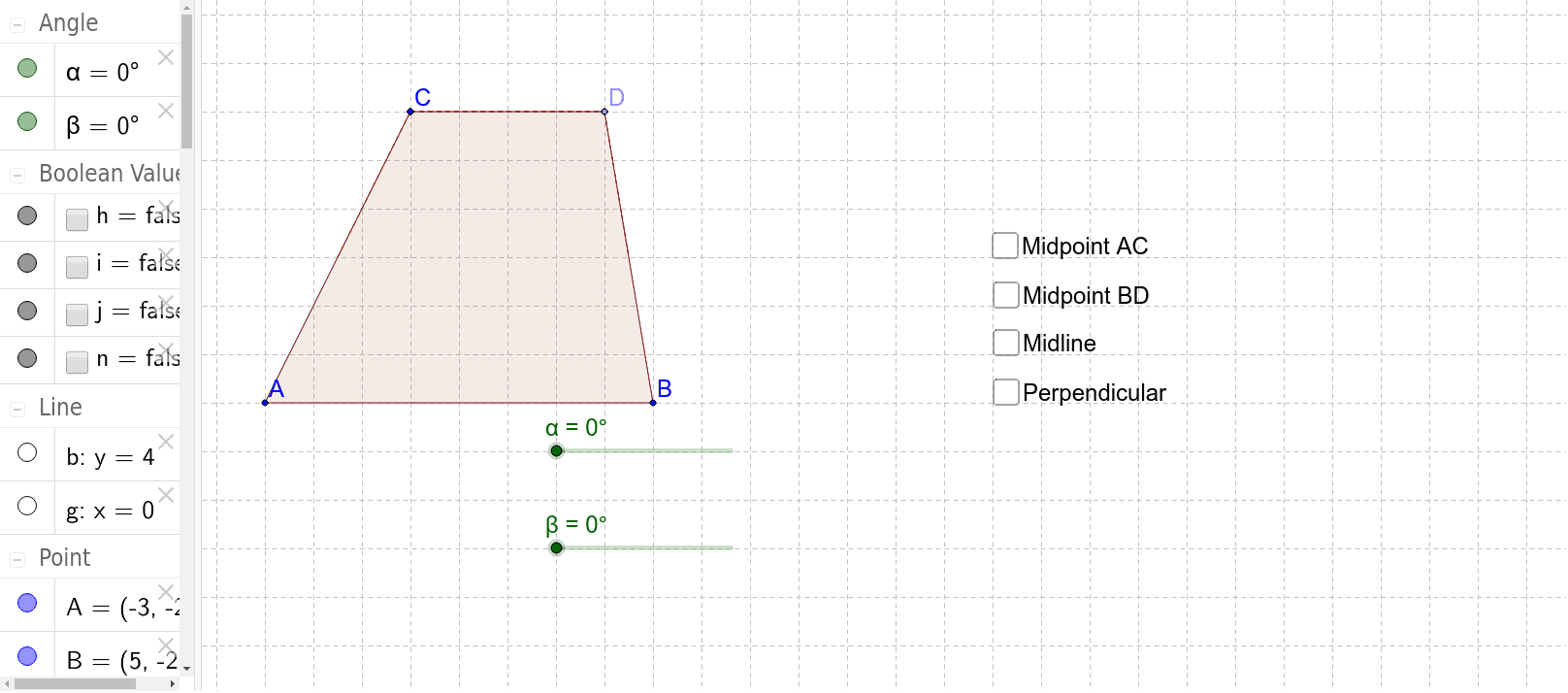
This interactive example demonstrates the geometric derivation of the area of a trapezoid and its relationship with other polygons. It covers core mathematical concepts including the trapezoid area formula, perimeter, the Pythagorean Theorem, and triangle congruence. The construction is implemented using GeoGebra commands such as Segment, Polygon, Midpoint, OrthogonalLine, and Rotate to create auxiliary lines and transform the shape for area analysis. This tool is ideal for middle school students and educators to visualize the logic behind area formulas and the properties of general quadrilaterals.
GeoGebra Commands & Parameters
Segment(A, B) → aLine(C, a) → bPoint(b) → DPolygon(A, B, D, C) → poly1, a_1, b_1, d, cMidpoint(c) → EMidpoint(b_1) → FPolygon(A, B, F, E) → poly2, a_2, b_2, f, eOrthogonalLine(C, f) → gIntersect(g, f) → GPolygon(E, G, C) → poly3, c_1, e_1, g_1Polygon(G, F, D, C) → poly4, g_2, f_1, d_1, c_2Rotate(E, α, E) → E'Rotate(G, α, E) → G'Rotate(C, α, E) → C'Polygon(E', G', C') → poly3', c', e', g'Rotate(G, (-β), F) → G'_1Rotate(F, (-β), F) → F'Rotate(D, (-β), F) → D'Rotate(C, (-β), F) → C'_1Polygon(G'_1, F', D', C'_1) → poly4', g'_1, f', d', c'_1Segment(E, C) → kSegment(C, D) → lSegment(D, F) → m
AI Drawing Prompt Reference
Draw a trapezoid and demonstrate its area derivation. Start by sketching the trapezoid, then find the midpoints of the top and bottom sides, and connect them to form a smaller trapezoid. Next, draw perpendicular lines from the midpoints to the bottom side, creating two triangles. Perform rotation transformations on the smaller trapezoid and triangles to visualize the relationship between the trapezoid's area and the areas of the triangles and parallelograms.
The prompt above was compiled from the original drawing commands and is for reference only.