
Geometric Construction of Parabola Equation
Loading the math board and drawing, please wait…
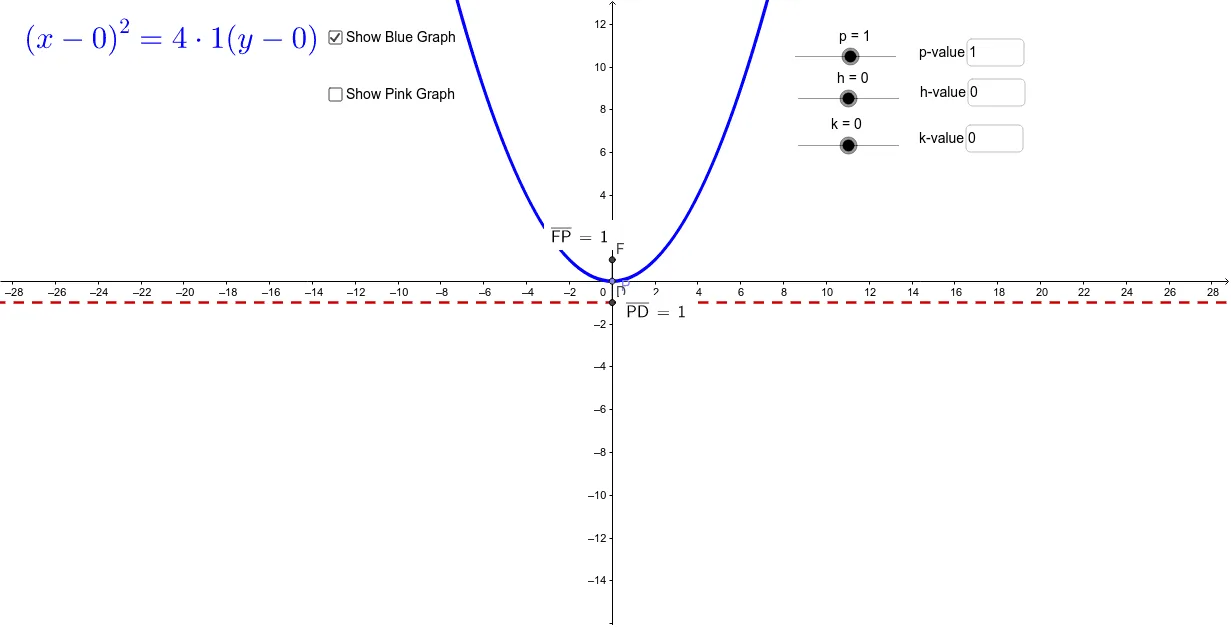
This example demonstrates how to understand the equation of a parabola through geometric construction. Key mathematical concepts include parabola, trigonometric functions, and distance. Using GeoGebra commands such as Point, Segment, and OrthogonalLine, the properties of the parabola are dynamically illustrated. Suitable for high school mathematics education and learning.
GeoGebra Commands & Parameters
Point(e) → PSegment(F, P) → aOrthogonalLine(P, d) → bIntersect(b, d) → DSegment(P, D) → cDistance(F, P) → distanceFPDistance(P, D) → distancePDTextfield(p) → inputBox1Textfield(h) → inputBox2Textfield(k) → inputBox3Point(f) → P_2OrthogonalLine(P_2, g) → jIntersect(j, g) → D_2Segment(P_2, D_2) → lSegment(P_2, F_2) → mDistance(P_2, F_2) → distanceP2F2Distance(P_2, D_2) → distanceP2D2
AI Drawing Prompt Reference
Draw a dynamic geometric construction illustrating the equation of a parabola. Start with a horizontal line as the directrix and a fixed point above it as the focus. Pick a point on the directrix, draw a perpendicular line from this point to the directrix, and mark the foot of the perpendicular. Connect the focus to the point on the directrix, and also connect that point to the foot, creating two segments. Measure and display the distance from the focus to the point on the directrix, and the distance from that point to the foot, using text boxes. Then repeat the same construction with another focus and directrix, generating a second set of point, perpendicular, foot, and segments, and display the corresponding two distances. The overall figure shows two similar parabola constructions, emphasizing the equality of distances.
The prompt above was compiled from the original drawing commands and is for reference only.