
Geometric Construction for the Area of a Pentagon
Loading the math board and drawing, please wait…
In collections
geometriadinamica.es
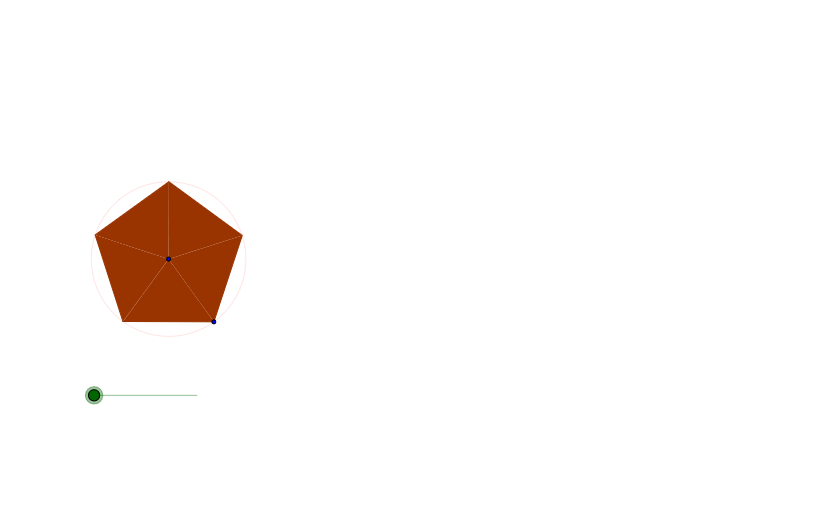
This example demonstrates how to compute or justify the area of a pentagon by transforming the figure into related, more manageable shapes. It centers on polygon area, and on geometric transformation ideas—especially rotation and reflection—to create point correspondences that preserve area relationships. The construction uses GeoGebra commands Circle (to create constraint geometry such as arcs/auxiliary circles), Rotate (to generate rotated copies of points/edges), and Mirror (to produce symmetric counterparts). Finally, Polygon is used to build the pentagon and the auxiliary polygons formed by these transformed vertices (including multiple primed versions like A', B', C' and further iterated copies). The resulting linked objects let learners visually track how the area expression comes from the construction and how transformations enable an elegant decomposition approach. Suitable for secondary geometry lessons and contest preparation focused on area by construction.
GeoGebra Commands & Parameters
Circle(C, B) → cRotate(B, a, C) → C_1Polygon(C, B, C_1) → P, c_1, a_1, bRotate(C, z, B) → A'Rotate(B, z, B) → B'Rotate(C_1, z, B) → C'Polygon(A', B', C') → P', c', a', b'Mirror(A', b') → A''Mirror(B', b') → B''Mirror(C', b') → C''Polygon(A'', B'', C'') → P'', c'', a'', b''Rotate(A'', z, C') → A'''Rotate(B'', z, C') → B'''Rotate(C'', z, C') → C'''Polygon(A''', B''', C''') → P''', c''', a''', b'''Mirror(A''', c''') → A''''Mirror(B''', c''') → B''''Mirror(C''', c''') → C''''Polygon(A'''', B'''', C'''') → P'''', c'''', a'''', b''''Rotate(A'''', z, B''') → A'''''Rotate(B'''', z, B''') → B'''''Rotate(C'''', z, B''') → C'''''Polygon(A''''', B''''', C''''') → P''''', c''''', a''''', b'''''Mirror(A''''', b''''') → A''''''Mirror(B''''', b''''') → B''''''Mirror(C''''', b''''') → C''''''Polygon(A'''''', B'''''', C'''''') → P'''''', c'''''', a'''''', b''''''Rotate(A'''''', z, C''''') → A'''''''Rotate(B'''''', z, C''''') → B'''''''Rotate(C'''''', z, C''''') → C'''''''Polygon(A''''''', B''''''', C''''''') → P''''''', c''''''', a''''''', b'''''''Mirror(A''''''', c''''''') → A''''''''Mirror(B''''''', c''''''') → B''''''''Mirror(C''''''', c''''''') → C''''''''Polygon(A'''''''', B'''''''', C'''''''') → P'''''''', c'''''''', a'''''''', b''''''''Rotate(A'''''''', z, B''''''') → A'''''''''Rotate(B'''''''', z, B''''''') → B'''''''''Rotate(C'''''''', z, B''''''') → C'''''''''Polygon(A''''''''', B''''''''', C''''''''') → P''''''''', c''''''''', a''''''''', b'''''''''Mirror(A''''''''', b''''''''') → A''''''''''Mirror(B''''''''', b''''''''') → B''''''''''Mirror(C''''''''', b''''''''') → C''''''''''Rotate(A'''''''''', z, C''''''''') → A'''''''''''Rotate(B'''''''''', z, C''''''''') → B'''''''''''Rotate(C'''''''''', z, C''''''''') → C'''''''''''
AI Drawing Prompt Reference
Start with an initial triangle. Draw an auxiliary circle using one side as radius, then rotate the triangle about a vertex to create an adjacent rotated copy. Next, rotate the whole triangle about another vertex to form a new triangle. Then mirror this triangle across one of its sides to produce a symmetric counterpart. Repeat the alternating sequence of rotation and mirroring, using the same rotation angle each time and taking the mirror axis from the newest triangle's side, to build a chain of congruent triangles that eventually enclose a pentagon-shaped region. All triangles are equal in area, preserving area through transformations, and the overall figure forms a symmetric tessellation.
The prompt above was compiled from the original drawing commands and is for reference only.