
Geometric Construction for Comparing Fractions
Loading the math board and drawing, please wait…
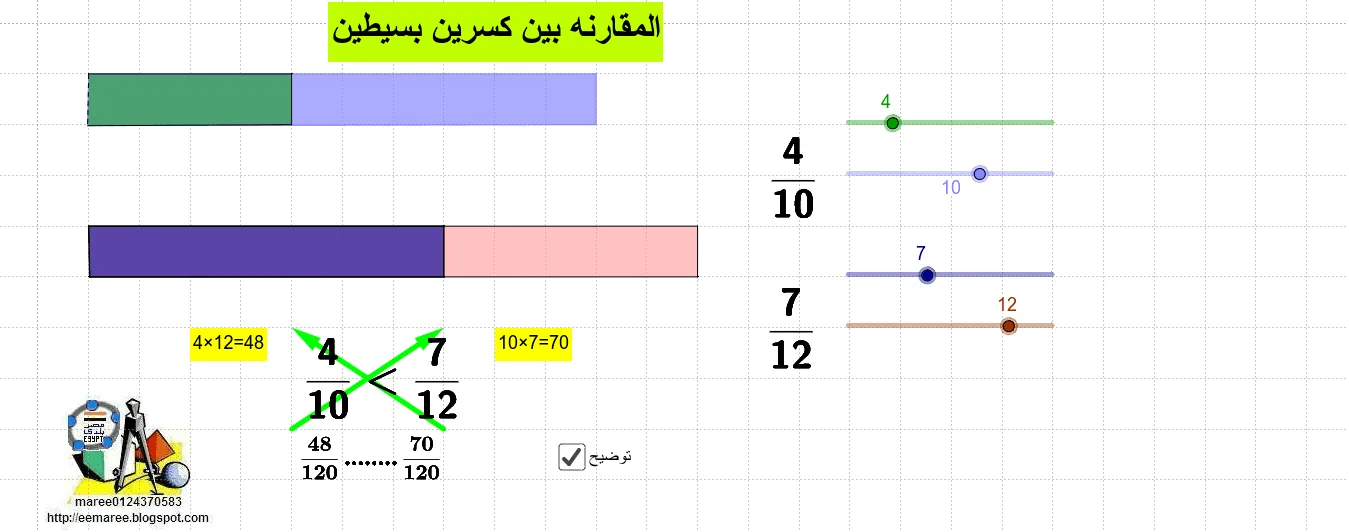
This example demonstrates how to compare the sizes of two simple fractions using geometric constructions. Key math concepts include fraction comparison, polygon construction, and vector operations. It utilizes GeoGebra commands like Polygon and Vector. Suitable for middle school mathematics teaching to visually understand geometric methods for comparing fractions.
GeoGebra Commands & Parameters
Polygon(E, F, G, H) → poly1, e, f, g, hPolygon(E, H, I, J) → poly2, e_1, h_1, i, jPolygon(A, C, D, K) → poly3, a_4, c, d, kPolygon(A, L, M, K) → poly4, a_2, l, m, k_1Vector(O, P) → vVector(U, V) → w
AI Drawing Prompt Reference
Draw a geometric figure with two quadrilaterals and two triangles, using vectors to represent their relationships and demonstrate how to compare fractions geometrically. Start by drawing a quadrilateral, then draw another quadrilateral using one of its sides as a base. Next, draw two triangles using the diagonals of the quadrilaterals, and finally, draw two vectors between two points to show their geometric relationships.
The prompt above was compiled from the original drawing commands and is for reference only.