
GeoGebra Vector and Geometric Construction Example
Loading the math board and drawing, please wait…
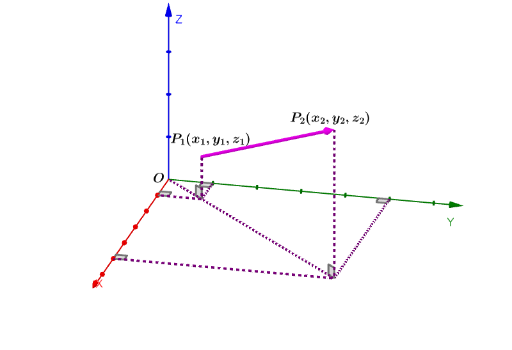
This example demonstrates the construction and manipulation of vectors, line segments, and angles using GeoGebra. It covers key mathematical concepts such as vectors, geometric construction, linear regression, geometric mean, and statistics. The construction involves GeoGebra commands like Vector, Segment, and Angle, along with objects such as O, P, Q, A, B, C, etc., to build geometric figures and perform mathematical analysis. Suitable for high school or university mathematics courses, particularly for geometry and vector learning, as well as statistical analysis.
GeoGebra Commands & Parameters
Vector(P, Q) → uSegment(P, C) → fSegment(C, B) → gSegment(C, A) → hSegment(O, F) → jSegment(E, F) → iSegment(F, D) → kSegment(Q, F) → lAngle(Q, F, O) → αAngle(P, C, O) → βSegment(O, E) → mSegment(O, D) → nAngle(O, E, F) → γAngle(F, D, O) → δSegment(O, A) → pSegment(O, B) → qAngle(C, A, O) → εAngle(O, B, C) → ζ
AI Drawing Prompt Reference
Draw a geometric figure with multiple points, line segments, and angles. Start by defining two base points)Skip, then create a vector from one to the other. From a third point, draw segments to three other points, forming a triangle-like structure. Then, from an origin point, draw segments to several points, and connect those points to form a polygon. Finally, mark several angles, including those formed by intersecting segments and those between segments and lines from the origin. The overall composition shows a complex arrangement of points, segments, and angles, illustrating vector and angle relationships.
The prompt above was compiled from the original drawing commands and is for reference only.