
GeoGebra Task 7 Data Demonstration
Loading the math board and drawing, please wait…
In collections
Dynamic Geometry Study Tasks
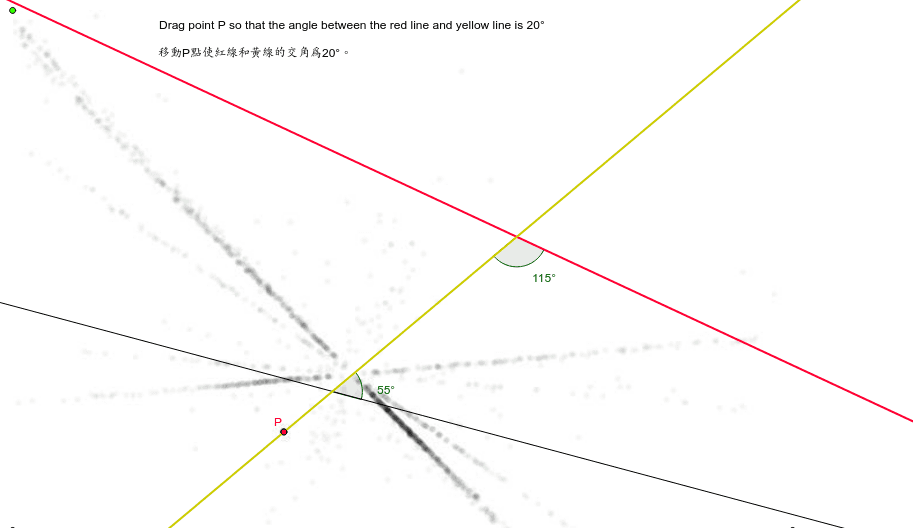
This example dynamically demonstrates vector operations and angle calculations in three-dimensional space. It involves core mathematical concepts including vectors, 3D coordinate geometry, angle measurement, differential equations, and probability & statistics. Construction highlights the use of GeoGebra commands like Line, Rotate, Intersect, Angle, Point, and objects such as C, A, B, a, d, b, D, P, c, F, G, H, α, E, I, β, T1, T2. Suitable for high school and above students to understand 3D vectors and geometric transformations, or for demonstrating tree diagrams in probability & statistics.
GeoGebra Commands & Parameters
Line(A, B) → aRotate(a, 350*°, A) → dLine(C, d) → bLine(D, P) → cIntersect(b, c) → FIntersect(a, c) → GAngle(H, G, F) → αPoint(b) → EAngle(G, F, I) → β
AI Drawing Prompt Reference
Create a dynamic demonstration of vector operations and angle calculations in 3D space. Start by drawing two line segments and rotate one to form an angle. Connect these segments to create a geometric shape. Then, calculate and label the angles at the intersections of the line segments, adding points at key locations. The final image should show a complex geometric structure with multiple points and angles, clearly illustrating core concepts like vectors, 3D coordinate geometry, and angle measurement.
The prompt above was compiled from the original drawing commands and is for reference only.