
Geogebra Shape Construction Example
Loading the math board and drawing, please wait…
In collections
Translation Tessellations
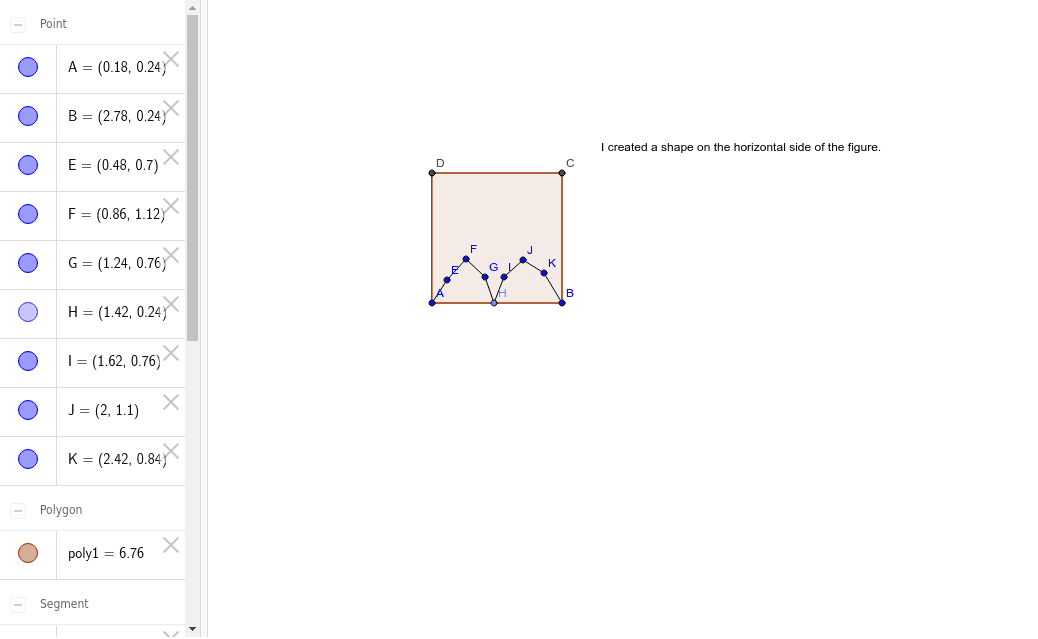
This example demonstrates constructing a custom shape on the horizontal side of a figure. It involves core math concepts like polygon construction, line segments, and point definitions. Key GeoGebra commands used include Polygon, Segment, and Point. Suitable for middle school and above students learning geometric constructions and transformations.
GeoGebra Commands & Parameters
Polygon(A, B, 4) → poly1, a, b, c, d, C, DSegment(A, E) → eSegment(F, E) → fSegment(G, F) → gPoint(a) → HSegment(H, G) → hSegment(I, H) → iSegment(J, I) → jSegment(K, J) → kSegment(B, K) → l
AI Drawing Prompt Reference
Construct a custom shape on the horizontal side of a figure by first connecting four points with line segments to form a quadrilateral, then connecting the first point to the other three vertices to create four triangles, and finally combining these triangles into an irregular polygon.
The prompt above was compiled from the original drawing commands and is for reference only.