
Translation of Geometric Figures
Loading the math board and drawing, please wait…
In collections
Translation Tessellations
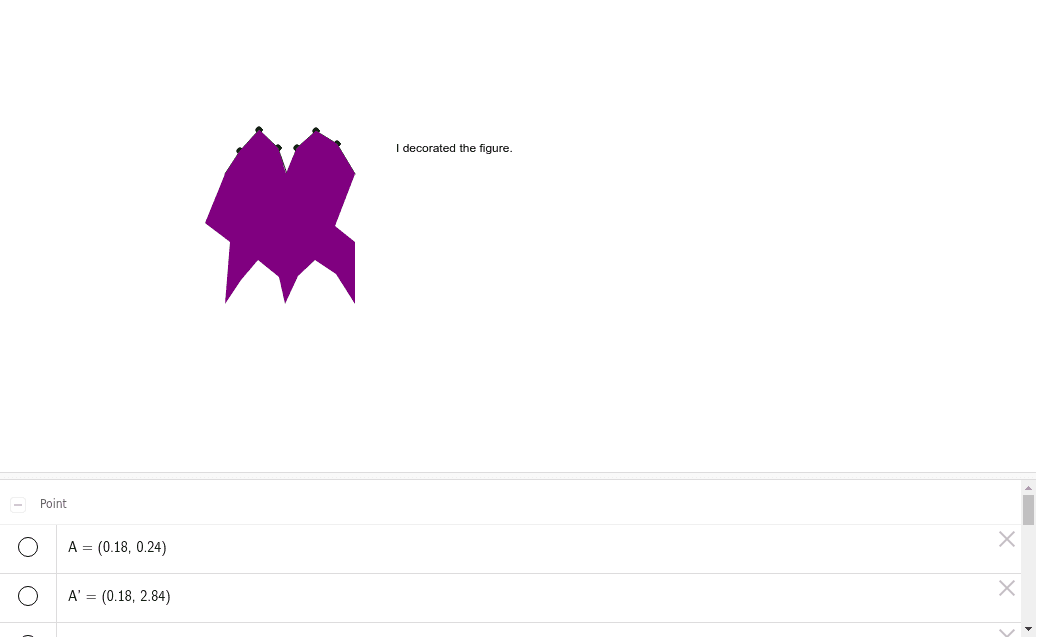
This example demonstrates the process of decorating geometric figures through translation transformations. The core mathematical concepts involved include vectors, translation transformations, and polygon construction. The construction utilizes GeoGebra commands such as Polygon, Segment, Point, Vector, Translate, and Intersect to create and manipulate geometric shapes. It is suitable for high school mathematics teaching on geometric transformations, helping students understand vector representation of translations and the principles of geometric figure transformations.
GeoGebra Commands & Parameters
Polygon(A, B, 4) → poly1, a, b, c, d, C, DSegment(A, E) → eSegment(F, E) → fSegment(G, F) → gPoint(a) → HSegment(H, G) → hSegment(I, H) → iSegment(J, I) → jSegment(K, J) → kSegment(B, K) → lVector(B, C) → uTranslate(A, u) → A'Translate(B, u) → B'Segment(A', B') → a'Translate(A, u) → A'_1Translate(E, u) → E'Segment(A'_1, E') → e'Translate(F, u) → F'Translate(E, u) → E'_1Segment(F', E'_1) → f'Translate(G, u) → G'Translate(F, u) → F'_1Segment(G', F'_1) → g'Translate(H, u) → H'Translate(G, u) → G'_1Segment(H', G'_1) → h'Translate(I, u) → I'Translate(H, u) → H'_1Segment(I', H'_1) → i'Translate(J, u) → J'Translate(I, u) → I'_1Segment(J', I'_1) → j'Translate(K, u) → K'Translate(J, u) → J'_1Segment(K', J'_1) → k'Translate(B, u) → B'_1Translate(K, u) → K'_1Segment(B'_1, K'_1) → l'Segment(D, L) → mSegment(L, M) → nTranslate(M, Vector[(0, -0.040000000000000036)]) → M'Segment(M, A) → pVector(D, C) → vTranslate(D, v) → D'Translate(A, v) → A'_2Segment(D', A'_2) → d'Translate(D, v) → D'_1Translate(L, v) → L'Segment(D'_1, L') → m'Translate(L, v) → L'_1Translate(M, v) → M'_1Segment(L'_1, M'_1) → n'Translate(M, v) → M'_2Translate(A, v) → A'_3Segment(M'_2, A'_3) → p'Translate(A', v) → A''Translate(A'_1, v) → NTranslate(M', v) → M''Polygon(D, A, B, C) → poly2, d_1, a_1, b_1, c_1Intersect(c_1, d_1) → OIntersect(a_1, d_1) → PIntersect(c_1, b_1) → QPolygon(O, P, B, Q) → poly3, o, p_1, b_2, qPoint(c_1) → RPoint(b_1) → TIntersect(b_1, a_1) → UPoint(a_1) → A_1Polygon(F', G', V, W, Z, A_1, B_1, C_1, D_1, P, E_1, L, R, O, E', I', J', K', Q, S, T, U) → poly4, f'_1, u_1, v_1, w, z, a_2, b_3, c_2, d_2, p_2, e_1, g'_1, l_1, o_1, e'_1, r, i'_1, j'_1, k'_1, q_1, s, t
AI Drawing Prompt Reference
Draw a quadrilateral and then translate it using a vector to demonstrate the process of translation. First, create the original quadrilateral, then represent the translation direction and distance with a vector. Move each vertex of the quadrilateral according to the vector to get new positions, and connect these new vertices to form the translated quadrilateral. Finally, draw an auxiliary line segment and translate it to further illustrate the translation transformation.
The prompt above was compiled from the original drawing commands and is for reference only.