
GeoGebra Matrix CAS Example
Loading the math board and drawing, please wait…
In collections
barycentric coordinates
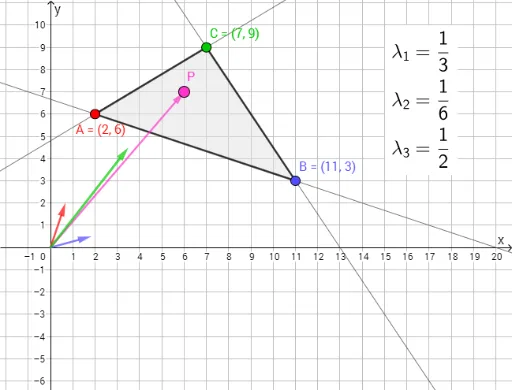
This example demonstrates matrix operations in GeoGebra CAS, involving core math concepts like matrix calculations, vector representation, and geometric transformations. It uses commands like Segment, Line, Polygon, FractionText, and objects A, B, C, etc., for geometric constructions, suitable for high school and above learners/teachers exploring matrix applications in geometry.
GeoGebra Commands & Parameters
Segment(C, A) → fSegment(A, B) → gSegment(B, C) → hLine(A, B) → iLine(A, C) → jLine(B, C) → kPolygon(A, B, C) → driehoek1, c, a, bFractionText(λ_1) → tekst1FractionText(λ_2) → tekst3FractionText(λ_3) → tekst4
AI Drawing Prompt Reference
Draw a triangle and connect its vertices to form three line segments. Label the coordinates of the vertices with three fractions inside the triangle.
The prompt above was compiled from the original drawing commands and is for reference only.