
Geogebra Line Segment Copy
Loading the math board and drawing, please wait…
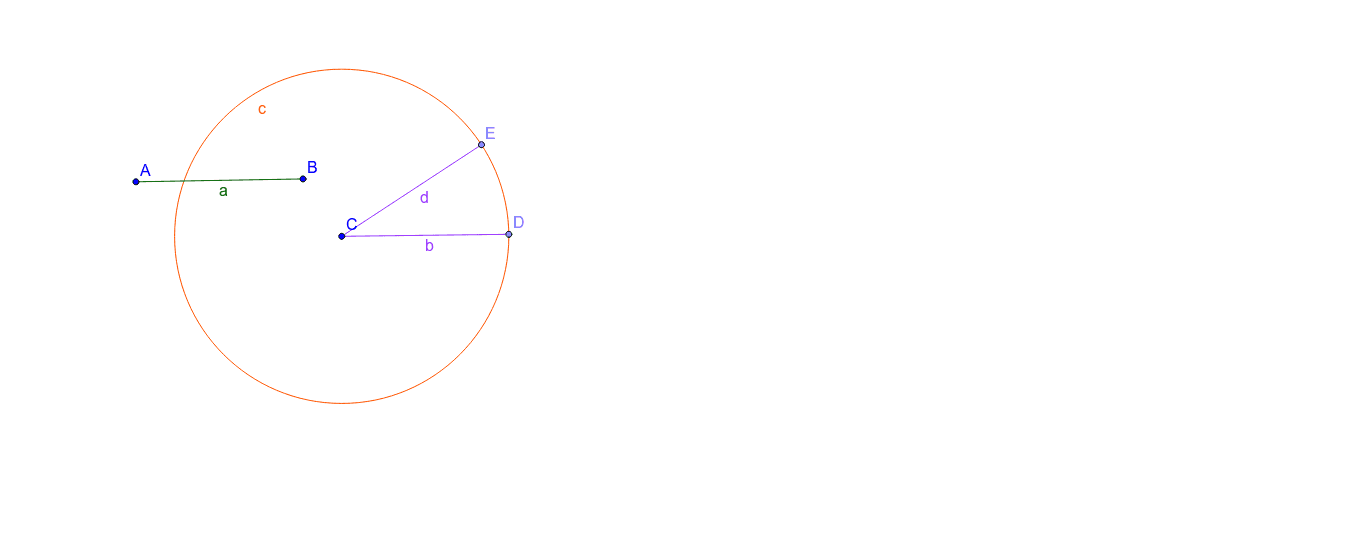
This example demonstrates how to accurately copy a line segment using GeoGebra, involving core math concepts like line segments, median values, 3D vectors, geometric constructions, natural numbers, and hyperbolas. Key GeoGebra commands and objects used include Segment, Circle, and Point, making it suitable for high school and above learners to understand geometric constructions and 3D vector concepts.
GeoGebra Commands & Parameters
Segment(A, B) → aCircle(C, Segment[B, A]) → cPoint(c) → DSegment(C, D) → bPoint(c) → ESegment(C, E) → d
AI Drawing Prompt Reference
Draw a line segment AB, then draw a circle with AB as its diameter. Pick a point D on the circle and draw a line segment CD. Next, pick another point E on the circle and draw a line segment CE.
The prompt above was compiled from the original drawing commands and is for reference only.