
GeoGebra Line Segment Copy: Geometric Construction Basics
Loading the math board and drawing, please wait…
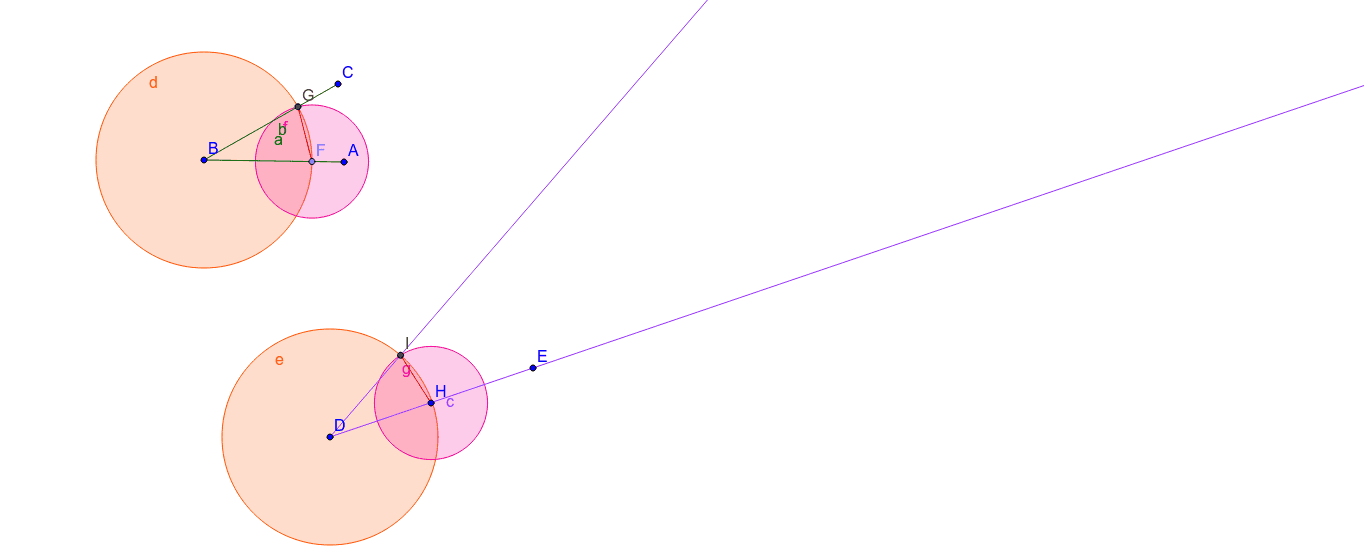
This example demonstrates how to copy a line segment in GeoGebra. The core mathematical concept is segment equality and triangle congruence criteria. Construction steps: 1) Use Segment command to create the original segment AB; 2) Draw a circle centered at A with radius AB; 3) Draw another circle centered at B with the same radius; 4) Use Intersect command to find intersection points C of the two circles; 5) Connect BC to form a new segment congruent to AB. Key GeoGebra commands used: Segment, Ray, Point, Circle, and Intersect. This is suitable for middle school math teachers demonstrating geometric construction methods and students practicing basic GeoGebra operations.
GeoGebra Commands & Parameters
Segment(A, B) → aSegment(B, C) → bRay(D, E) → cPoint(a) → FCircle(B, F) → dCircle(D, Segment[F, B]) → eIntersect(d, b, 1) → GCircle(F, G) → fCircle(H, Segment[F, G]) → gIntersect(e, g, 1) → IRay(D, I) → hSegment(G, F) → iSegment(I, H) → j