
GeoGebra Geometric Construction and Function Graphing Example
Loading the math board and drawing, please wait…
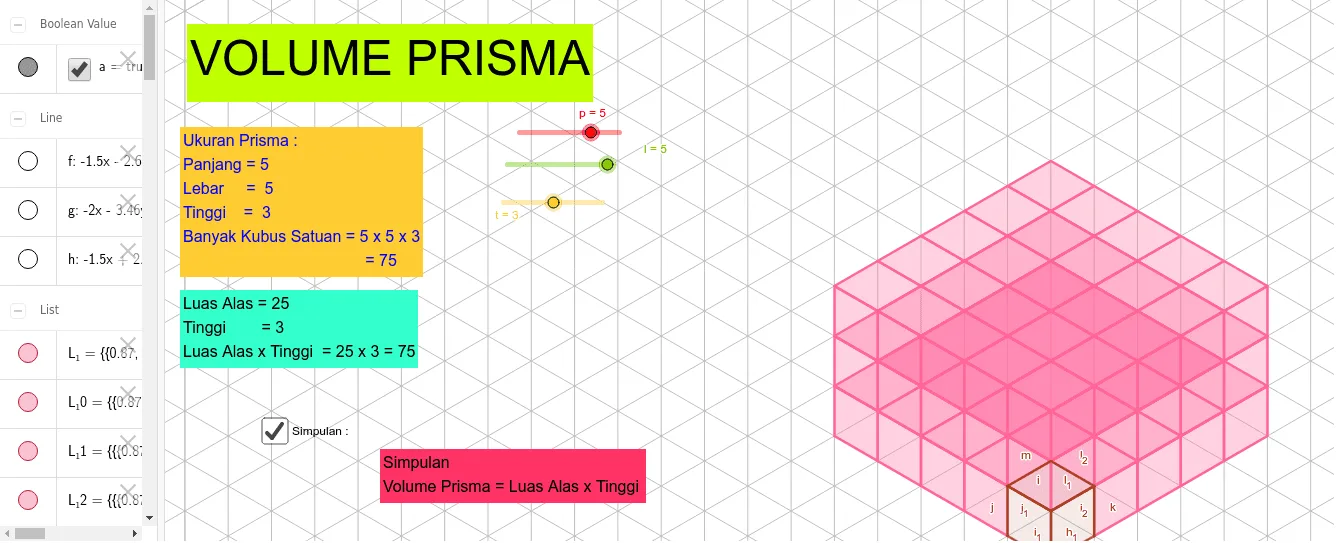
This example demonstrates geometric construction and function graphing using GeoGebra. Key mathematical concepts include symmetry, quadratic functions, and solid geometry. Construction involves commands like Point, Intersect, Line, Polygon, and Vector, along with sequence and transformation. Suitable for middle or high school mathematics education to help understand geometric and functional relationships.
GeoGebra Commands & Parameters
Point(xAxis) → APoint(yAxis) → BIntersect(xAxis, yAxis) → CLine(C, D) → fLine(A, B) → gLine(E, F) → hPoint(h) → HPolygon(G, H, I, J) → q1, g_1, h_1, i, jPoint(h) → KPolygon(K, L, I, H) → q2, k, l_1, i_1, h_2Polygon(L, M, J, I) → q3, l_2, m, j_1, i_2Vector(C, F) → uPoint(yAxis) → NVector(C, N) → vVector(C, O) → wSequence(Translate[Element[L_1, 1], Vector[(i * v)]], i, 1, t - 1) → L_5Sequence(Translate[Element[L_2, 1], Vector[(i * v)]], i, 1, t - 1) → L_6Sequence(Translate[Element[L_4, 1], Vector[(i * u)]], i, 1, p - 1) → L_9Sequence(Translate[Element[L_3, 1], Vector[(i * w)]], i, 1, l - 1) → L_10Sequence(Translate[L_3, Vector[(v * i)]], i, 1, t - 1) → L_11Sequence(Translate[L_10, Vector[(v * i)]], i, 1, t - 1) → L_12Sequence(Translate[L_4, Vector[(v * i)]], i, 1, t - 1) → L_13
AI Drawing Prompt Reference
Draw a figure made of lines and triangles. Start from the origin, draw two lines upward and to the right to form a triangle. Inside the triangle, add symmetric points to maintain balance. The construction order is from the origin, drawing lines, then connecting points to form the triangle, and finally adding symmetric points.
The prompt above was compiled from the original drawing commands and is for reference only.