
Geoboard and Automatic Feedback with GeoGebra
Loading the math board and drawing, please wait…
In collections
Learn Geometry
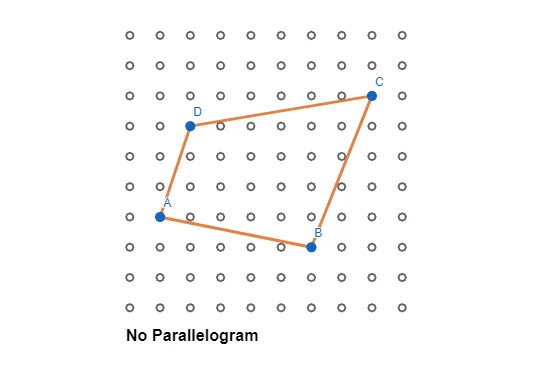
This example demonstrates how to create a geoboard and automatic feedback using GeoGebra. It involves constructing geometric shapes such as points and segments. Using commands like Sequence, Point, Segment, and If, dynamic geometric shapes and interactive feedback can be created. Suitable for middle school and above students to learn geometric construction and dynamic geometry concepts.
GeoGebra Commands & Parameters
Sequence(Sequence[(a, b), a, 1, 10], b, 1, 10) → pegsPoint(pegs) → APoint(pegs) → BPoint(pegs) → CPoint(pegs) → DSegment(A, B) → fSegment(B, C) → gSegment(C, D) → hSegment(D, A) → iIf(f ∥ h ∧ g ∥ i, "Parallelogram", "No Parallelogram") → text1
AI Drawing Prompt Reference
Create a geoboard with a 10x10 grid where each intersection is a peg. Randomly select four pegs as vertices and connect them with line segments. Display 'Parallelogram' if opposite sides are parallel, otherwise show 'No Parallelogram'.
The prompt above was compiled from the original drawing commands and is for reference only.