
Generating a Circle and Ellipse: Dynamic Construction and Geometric Transformati
Loading the math board and drawing, please wait…
In collections
MATH1052-edX
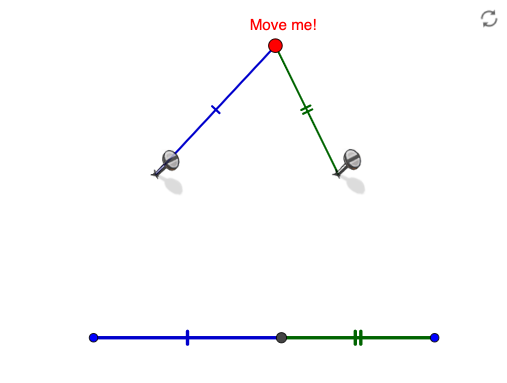
This GeoGebra example demonstrates how to dynamically generate a circle and an ellipse, illustrating their geometric relationships. Core mathematical concepts include the definition of a circle, the definition of an ellipse (foci, major and minor axes), vector translation, rotation, and geometric transformations. Construction highlights: the Circle command creates the circle, the Ellipse command creates the ellipse; auxiliary points and vectors are built using Point, Vector, Translate, and Line commands to enable translation and rotation; Intersect finds intersection points, Segment connects segments, and numerous named objects (P, e, k, N, C, M, u, K, K', h, O, L', c, D, pic2, pic3, E, F, f, g, G, H, I, J, a, b, d, A, B, i, p, L, j, l, q, Q, R, m, S, n) are used to complete the figure. Suitable for middle and high school geometry classes to intuitively understand the generation of circles and ellipses and their transformation properties, as well as for introductory analytic geometry in university.
GeoGebra Commands & Parameters
Circle(P, e) → kIntersect(xAxis, yAxis) → MVector(M, N) → uPoint(k) → KTranslate(K, u) → K'Line(K, xAxis) → hPoint(k) → OTranslate(O, u) → L'Ellipse(L', K', C) → cPoint(c) → DCircle(K, 0.5) → fCircle(O, 0.5) → gPoint(f) → GPoint(f) → HPoint(g) → IPoint(g) → JSegment(O, K) → aSegment(L', D) → bSegment(K', D) → dSegment(A, B) → iCircle(A, b + d) → pPoint(p) → LLine(A, L) → jLine(B, L) → lCircle(A, d) → qIntersect(q, j) → Q, RLine(R, l) → mIntersect(m, i) → SSegment(A, S) → nSegment(S, B) → r
AI Drawing Prompt Reference
Create a geometric figure by first drawing a circle with center P and radius e, then selecting two points K and O on this circle. Draw a line through K parallel to the x-axis, and use a vector from M to N to translate points K and O, obtaining K' and L' respectively. Draw an ellipse with foci at L' and K' and vertex at C, then select point D on this ellipse. Next, draw two small circles with radius 0.5 centered at K and O, and pick points on these circles. Finally, connect O to K, L' to D, and K' to D with line segments to complete the construction.
The prompt above was compiled from the original drawing commands and is for reference only.