
General to Root Form Conversion
Loading the math board and drawing, please wait…
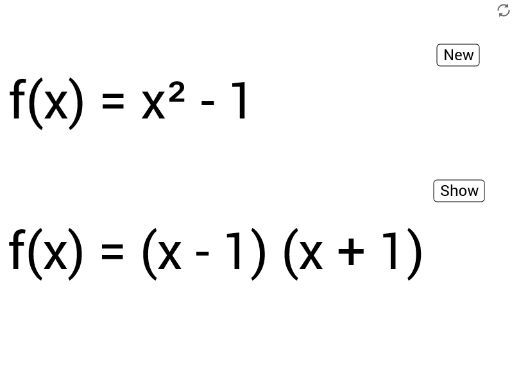
This example demonstrates how to convert general form equations to root form equations using GeoGebra, visualizing the relationship between roots and function graphs. Core math concepts include roots, integers, tangent function, optimization problems, perimeter, and logic. Key GeoGebra commands used are Random for generating random parameters, Extremum for finding extrema, Intersect for calculating intersections, and Expand for expanding expressions. Suitable for high school and above learners to understand function properties and equation transformations.
GeoGebra Commands & Parameters
Random(-5, 5) → mRandom(-7, 7) → cRandom(-10, 10) → aRandom(-10, 10) → bRandom(-5, 5) → nExtremum(f) → TP_1,Intersect(f, yAxis, 1) → yinterceptExpand(f) → g
AI Drawing Prompt Reference
Draw a quadratic function graph with randomly generated coefficients, showing both its general form and its expanded polynomial form. Plot the parabola, mark its vertex (extremum) and its y-intercept. Then expand the general equation to polynomial form and display the corresponding graph in the same coordinate system. The figure should illustrate the relationship between roots and the graph, where x-intercepts correspond to the roots. Keep the layout clear, including function expressions, key point coordinates, and the graph, suitable for understanding function properties and equation transformation.
The prompt above was compiled from the original drawing commands and is for reference only.