
Funicular by One Point
Loading the math board and drawing, please wait…
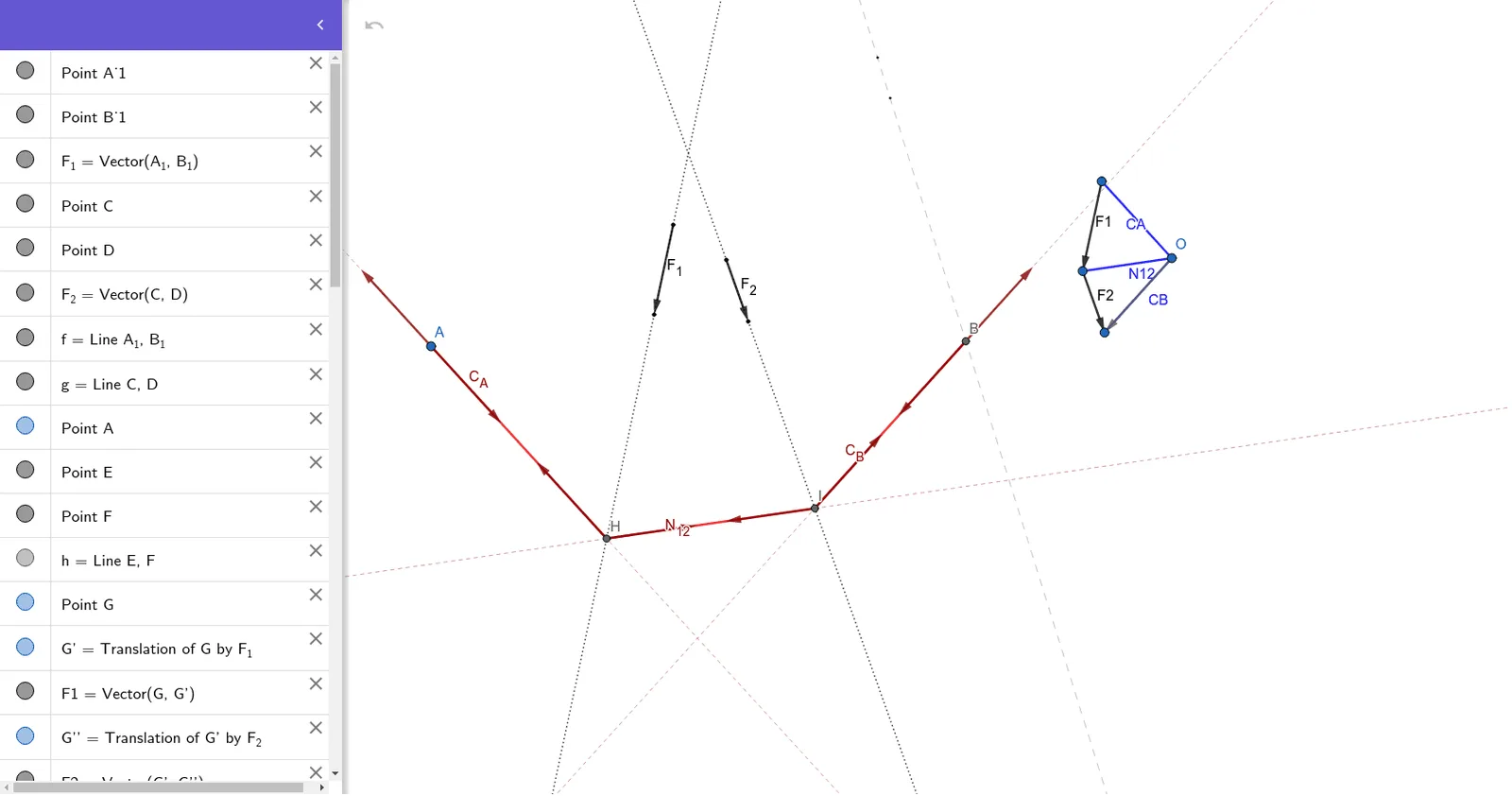
This example demonstrates how to construct a funicular using the one-point method. Key mathematical concepts include function graphs and calculus. Using GeoGebra commands such as Vector, Line, Translate, Segment, and Intersect, the construction of the funicular is achieved. Suitable for high school mathematics education and learning.
GeoGebra Commands & Parameters
Vector(A_1, B_1) → F_1Vector(C, D) → F_2Line(A_1, B_1) → fLine(C, D) → gLine(E, F) → hTranslate(G, F_1) → G'Vector(G, G') → F1Translate(G', F_2) → G''Vector(G', G'') → F2Segment(G, O) → CASegment(G', O) → N12Segment(G'', O) → CBLine(A, CA) → iIntersect(f, i) → HLine(H, N12) → jIntersect(g, j) → ILine(I, CB) → kIntersect(h, k) → BVector(G, O) → uVector(O, G) → vVector(G', O) → wVector(O, G') → aVector(O, G'') → bVector(G'', O) → cTranslate(A, v) → A'Vector(A, A') → dSegment(A, H) → lSegment(H, I) → mSegment(I, B) → nTranslate(A, u) → A'_1Vector(A, A'_1) → C_ATranslate(H, d) → H'Vector(H, H') → pTranslate(H, w) → H'_1Vector(H, H'_1) → N_{12}Translate(I, a) → I'Vector(I, I') → rTranslate(I, c) → I'_1Vector(I, I'_1) → C_BTranslate(B, C_B) → B'Vector(B, B') → tTranslate(B, b) → B'_1Vector(B, B'_1) → u_1
AI Drawing Prompt Reference
Draw a function graph and demonstrate the construction of a funicular system using the one-point method. Start by creating two line segments as reference vectors, then form straight lines using these vectors. Progressively build the support structure of the funicular by vector translations and segment connections. Finally, determine key points through intersections to complete the funicular's overall shape, showcasing the application of function graphs and calculus.
The prompt above was compiled from the original drawing commands and is for reference only.