
Function Extremum Demonstration
Loading the math board and drawing, please wait…
In collections
₂ΛM 1: Lagrange Multipliers with One Constraint. Examples
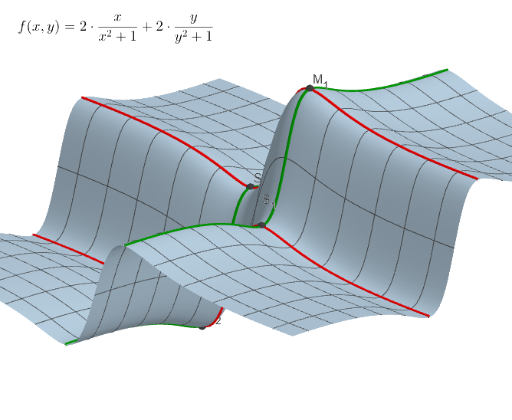
This example demonstrates the extrema of a bivariate function and its derivative relationships. Key math concepts include derivatives, extrema, partial derivatives, and function graphing. Construction highlights involve using commands like Derivative for partial derivatives, CurveCartesian for plotting, PointIn for point location verification, and various Points and Text objects. Suitable for high school and above students studying calculus and optimization problems.
GeoGebra Commands & Parameters
Derivative(f, x) → f'_xDerivative(f, y) → f'_yCurveCartesian(t, 1, f(t, 1), t, -10, 10) → k1_xCurveCartesian(t, -1, f(t, -1), t, -10, 10) → k2_xCurveCartesian(1, t, f(1, t), t, -10, 10) → k1_yCurveCartesian(-1, t, f(-1, t), t, -10, 10) → k2_yPointIn(f) → PCurveCartesian(t, y(P), f(t, y(P)), t, -10, 10) → kx_PCurveCartesian(x(P), t, f(x(P), t), t, -10, 10) → ky_PDerivative(f, x, 2) → f''_xDerivative(f, y, 2) → f''_yDerivative(f'_x, x) → f_{xx}
AI Drawing Prompt Reference
Draw a bivariate function and its first and second partial derivative curves to demonstrate the function's extrema. Start by plotting the function, then calculate and draw the first partial derivative curves in the x and y directions, find the extrema points, and draw the tangents through these points. Finally, calculate and draw the second partial derivative curves to analyze the concavity of the extrema points.
The prompt above was compiled from the original drawing commands and is for reference only.