
Function Addition Demonstration by Dr. Doug Davis, 3D
Loading the math board and drawing, please wait…
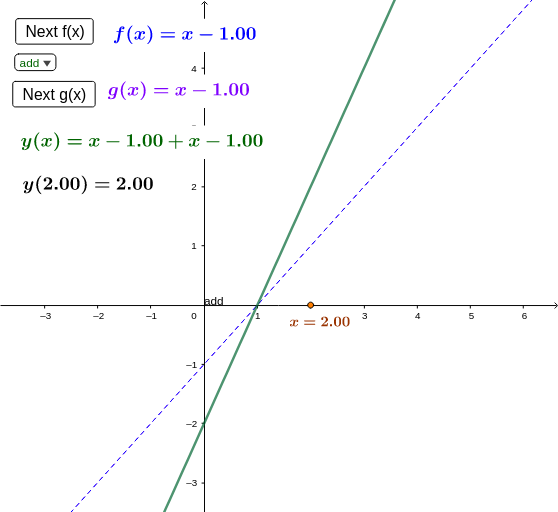
This applet demonstrates new functions created by adding, subtracting, multiplying, or dividing functions. Users can choose from many common functions or define their own. Using GeoGebra commands like Point, Textfield, Element, etc., dynamic changes in functions can be observed. Suitable for high school math education and learning.
GeoGebra Commands & Parameters
Point(xAxis) → ATextfield(f_{13}) → inputBox1Element(flist, ng) → gElement(flist, nf) → fSelectedElement(l1) → selElement(fglist, SelectedIndex[l1]) → fg
AI Drawing Prompt Reference
Draw a 3D graph showing the result of adding, subtracting, multiplying, or dividing two functions, where one function is defined by a text box and the other is selected from a list, with key points and function names labeled to dynamically display changes in functions.
The prompt above was compiled from the original drawing commands and is for reference only.