
From Circular Arc to Dome
Loading the math board and drawing, please wait…
In collections
muqarnas - English version
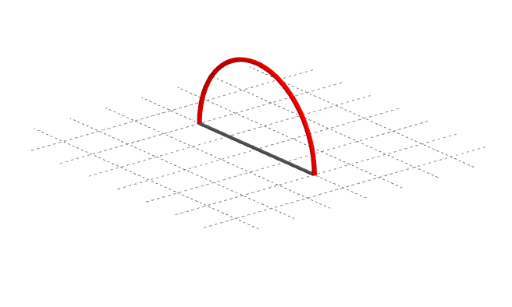
This example demonstrates how to construct a dome from a circular arc. It involves key concepts in circle, polygon, and solid geometry. Using GeoGebra commands such as CircumcircleArc, Rotate, and Polygon, one can visually understand how a circular arc expands into a complete dome structure. Suitable for high school or university-level solid geometry studies.
GeoGebra Commands & Parameters
Segment(A, AA) → fPoint(f) → ISegment(A, I) → gPolygon(A, B, C, D) → veelhoek1, a_1, b_1, c, dPrism(veelhoek1, -1.5) → e, E, Ribbe1, Ribbe2, Ribbe3, Ribbe4, Ribbe5, Ribbe6, Ribbe7, Ribbe8, F, G, H, zijvlak1, zijvlak2, zijvlak3, zijvlak4, zijvlak5Surface(cos(α), sin(α), sin(α), α, 0°, 180°, α, 0°, 180°) → bSurface(cos(α), sin(α), cos(β), α, 0°, 360°, β, 0, 90°) → aLine((0, 0, 0), (0, 0, 2)) → asCircle(O, 1, as) → kCylinder(k, 1.5) → i_3, i_2, i_3Surface((sqrt(1 - h^(2)) * cos(θ)), (sqrt(1 - h^(2)) * sin(θ)), h, θ, 0, hoek, h, 0, 1) → hSurface((sqrt(1 - h^(2)) * cos(θ)), (sqrt(1 - h^(2)) * sin(θ)), h, θ, 180°, 180° + hoek, h, 0, 1) → mCircumcircleArc(ST, T, SE) → pRotate(p, hoek, as) → p'Segment(ST, SE) → n
AI Drawing Prompt Reference
Draw a dome structure starting from a circular arc. First, create a circular arc, then rotate it around an axis to form a semicircle. Next, use four points to create a quadrilateral and extend it into a quadrilateral prism. Finally, replace the top of the prism with a dome shape to complete the structure.
The prompt above was compiled from the original drawing commands and is for reference only.