
From a Square to a Pentagon
Loading the math board and drawing, please wait…
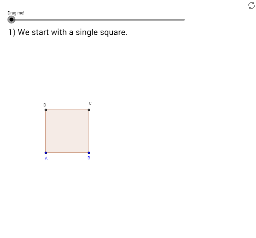
This example demonstrates the construction of a pentagon from a square and reveals the relationship between trigonometric values of multiples of 36 degrees and the Golden Ratio. It involves core mathematical concepts such as geometric construction, trigonometry, rotation, and similarity transformation. The construction uses commands like Polygon, Midpoint, Circle, Line, Intersect, Segment, OrthogonalLine, Angle, Rotate, and CircleArc in GeoGebra. Suitable for high school mathematics education to illustrate the connection between geometric transformations and trigonometric functions, deepening the understanding of the Golden Ratio.
GeoGebra Commands & Parameters
Polygon(A, B, 4) → poly1, b, c, d, e, C, DMidpoint(b) → ECircle(E, C) → fLine(A, B) → gIntersect(f, g) → F, GSegment(A, G) → hOrthogonalLine(G, h) → iOrthogonalLine(C, c) → jIntersect(i, j) → HSegment(C, H) → kSegment(H, G) → a_3Polygon(A, G, H, D) → poly2, a_1, g_1, h_1, d_1Circle(B, h) → pCircle(C, D) → qIntersect(q, p) → I, J, ,Segment(C, I) → mAngle(B, C, I) → αRotate(C, α, I) → NCircleArc(I, C, N) → rSegment(I, N) → lCircle(N, I) → sCircle(B, C) → tIntersect(s, t) → K, L, ,Segment(K, N) → nSegment(K, B) → b_1
AI Drawing Prompt Reference
Start with a square and construct a pentagon to demonstrate the relationship between trigonometric values of multiples of 36 degrees and the Golden Ratio. Draw the square, find the midpoint of one side, and use it as a center to draw a circle intersecting the square. Construct new geometric elements using rotations and orthogonal lines, forming a complex shape with arcs and multiple segments that illustrates the connection between geometric transformations and trigonometric functions.
The prompt above was compiled from the original drawing commands and is for reference only.