
Maximize the Area of a Rectangle with Fixed Perimeter
Loading the math board and drawing, please wait…
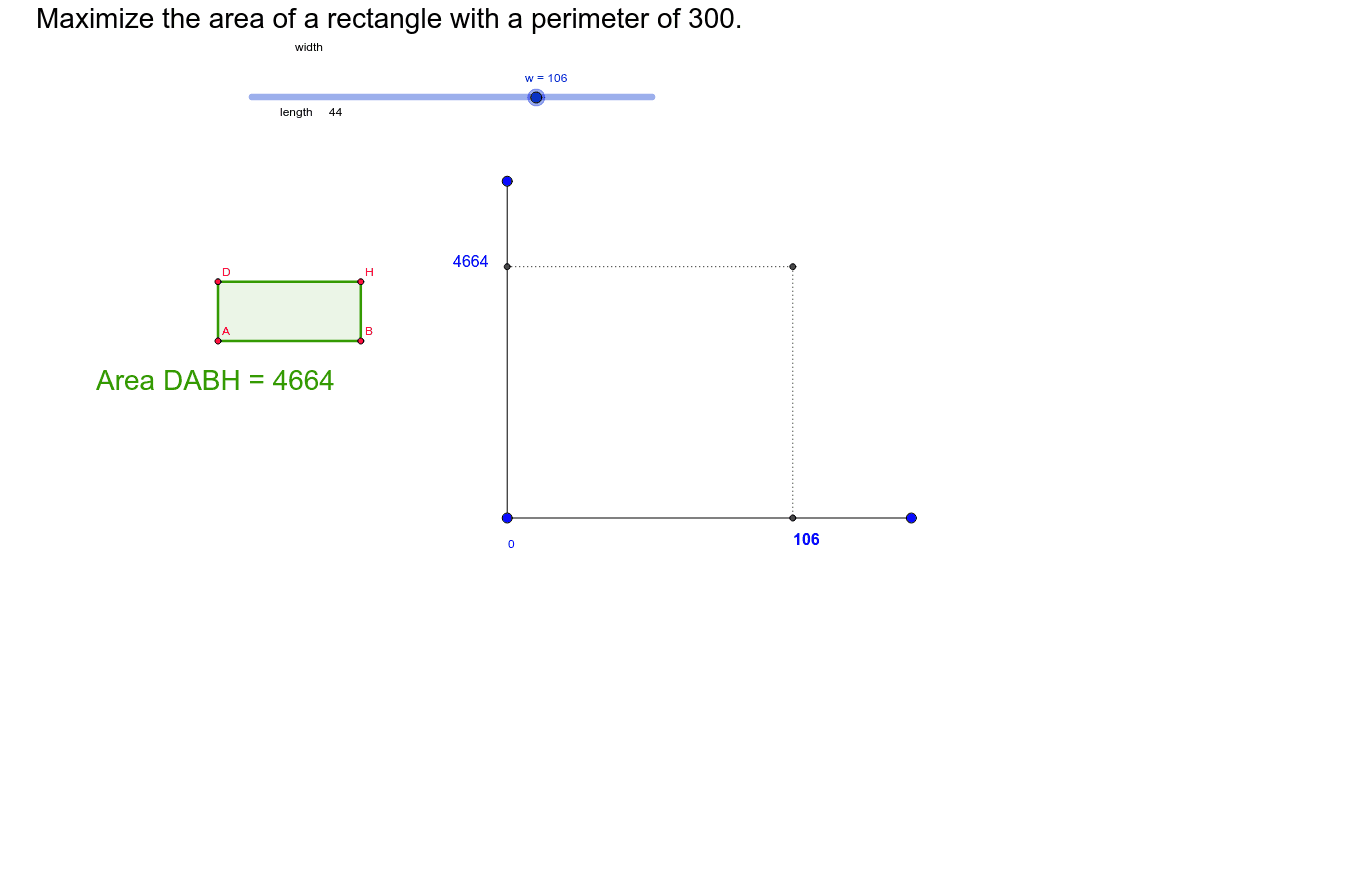
This GeoGebra example demonstrates how the area of a rectangle changes when its perimeter is kept constant, and visually shows that the maximum area occurs when the rectangle becomes a square. The core mathematical concepts include the formulas for perimeter and area of a rectangle, quadratic functions, finding extrema via derivatives, and basic optimization. The construction uses GeoGebra commands such as Point, Segment, OrthogonalLine, Circle, Intersect, Polygon, and Text to build the rectangle and its auxiliary elements, with sliders or draggable points to vary side lengths. Dynamic text displays the current area and perimeter values, and a graph of area versus side length (likely a parabola) is shown to illustrate the maximum. This resource is suitable for middle and high school mathematics classes, particularly for teaching quadratic function maxima, derivative applications, or geometric optimization problems, and can be used for guided inquiry or demonstration.
GeoGebra Commands & Parameters
Point(Circle[A, w]) → BSegment(A, B) → aOrthogonalLine(A, a) → bOrthogonalLine(B, a) → cCircle(A, length) → dCircle(A, length) → eIntersect(d, b) → C, DIntersect(e, c) → E, FCircle(B, length) → fIntersect(f, c) → G, HPolygon(D, A, B, H) → poly1, d_1, a_1, b_1, hText(length) → text1Segment(I, K) → gSegment(J, I) → iSegment(M, L) → jSegment(N, M) → k
AI Drawing Prompt Reference
Draw a rectangle with a fixed perimeter. First, create a circle centered at point A with radius w, and select a point B on it. Then, draw a segment AB and its perpendicular lines b and c. Next, draw two circles centered at A with radius w, intersecting b and c to get points C, D and E, F. After that, draw a circle centered at B with radius w, intersecting c to get points G, H. Finally, connect points D, A, B, and H to form a rectangle, and display the current perimeter and area.
The prompt above was compiled from the original drawing commands and is for reference only.