
Frequency Distribution and Conditional Probability: Geometric Demo (Part 4)
Loading the math board and drawing, please wait…
In collections
Distance in the Coordinate Plane: Exploration
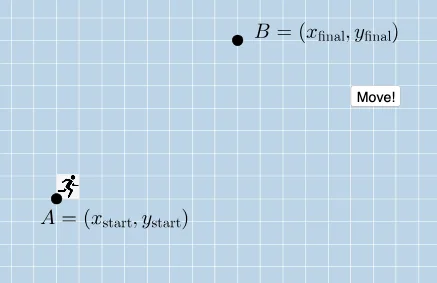
This GeoGebra example demonstrates the visual connection between frequency distributions, conditional probability, and arithmetic operations through dynamic geometry. It uses area ratios and geometric transformations (dilation, rotation, translation) to illustrate probabilistic concepts. The construction employs commands such as Dilate, Vector, Line, Point, Angle, Rotate, Translate, and Polygon, creating numerous objects including B, A, B₁, C, pic1, D, A', u, D', v, f, g, F, α, b, eq1, G, β, H, I, J, pic2, H', E', w, H'', γ, t1, b₁, a₁, d, E, K, pic3, and three interactive buttons (button1, button2, button3) for step-by-step exploration. Suitable for high school or early college students learning probability and statistics alongside geometric transformations, and useful as an interactive teaching tool for instructors.
GeoGebra Commands & Parameters
Dilate(A, If[0 < a ≤ 1, 1 - a, 0], D) → A'Vector(A, A') → uDilate(D, If[1 < a ≤ 2, 2 - a, 0], B) → D'Vector(D, D') → vLine(A, B) → fPoint(f) → FAngle(D, A, F) → αPoint(eq1) → GAngle(G, A, F) → βRotate(H, If[0 ≤ b ≤ 1, (b * β), β], B) → H'Dilate(B, If[1 < b ≤ 2, 2 - b, 0], A) → E'Vector(B, E') → wTranslate(H', w) → H''Angle(B, D, A) → γPolygon(A, D, B) → t1, b_1, a_1, d
AI Drawing Prompt Reference
Create a dynamic geometry figure linking probability with geometric transformations: place three key points forming a triangle, draw the line through the first two points and mark the point on that line as a reference. At the middle point, construct two angles using the same reference point to define angle measures for later steps. Use one of these angles to rotate the appropriate point about the given pivot, then apply a dilation (scale about another vertex) to obtain corresponding points and form vectors from each original point to its dilated image to guide translations. Translate the rotated point along the constructed vector to a new location. Finally, connect the original three triangle vertices to form the main polygon area for comparison, keeping the key points, vectors, and angles as the interactive components.
The prompt above was compiled from the original drawing commands and is for reference only.