
Fractions on Number Line by Radha Narve (2)
Loading the math board and drawing, please wait…
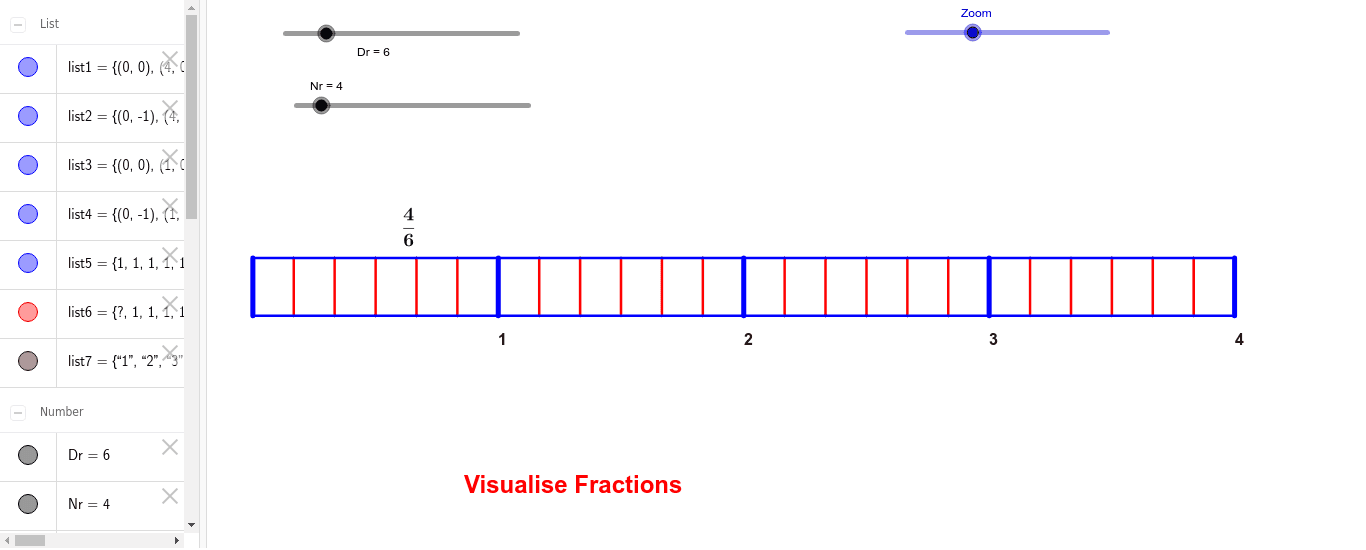
This example demonstrates plotting and comparing fractions on a number line. It involves core math concepts like fractions, number line, sequences, and coordinate geometry. Construction highlights include using GeoGebra commands such as Point, Segment, Sequence, Zoom, and lists (list1, list2, etc.). Suitable for middle school mathematics education to visually aid students in understanding the positional relationships of fractions on a number line.
GeoGebra Commands & Parameters
Point(xAxis) → APoint(Circle[A, abs(Zoom)]) → CSegment(A, C) → bSequence(((b / Nr * k), 0), k, 0, Nr) → list1Point(yAxis) → BPoint(Circle[B, abs(Zoom)]) → D_1Segment(B, D_1) → cSequence(((c / Nr * k), -1), k, 0, Nr) → list2Sequence(((c / ((Nr * Dr)) * k), -1), k, 0, (Nr * Dr)) → list4Sequence(((b / ((Nr * Dr)) * k), 0), k, 0, (Nr * Dr)) → list3Sequence(Segment[Element[list3, k], Element[list4, k]], k, 0, (Nr * Dr)) → list6Sequence(Segment[Element[list1, k], Element[list2, k]], k, 1, (Nr * Dr)) → list5Sequence(Text[k, ((b / Nr * k), (-1.5))], k, 1, Nr, 1) → list7
AI Drawing Prompt Reference
Draw a number line from 0 to 1, marking points at intervals of 1/4. Below the line, mark points at intervals of 1/4 as well, creating a fraction number line. Use a slider to adjust the zoom level and show more or fewer fraction points.
The prompt above was compiled from the original drawing commands and is for reference only.