
Fractions and Percentages: Visualizing Polygons, Incircles, and Statistical Dist
Loading the math board and drawing, please wait…
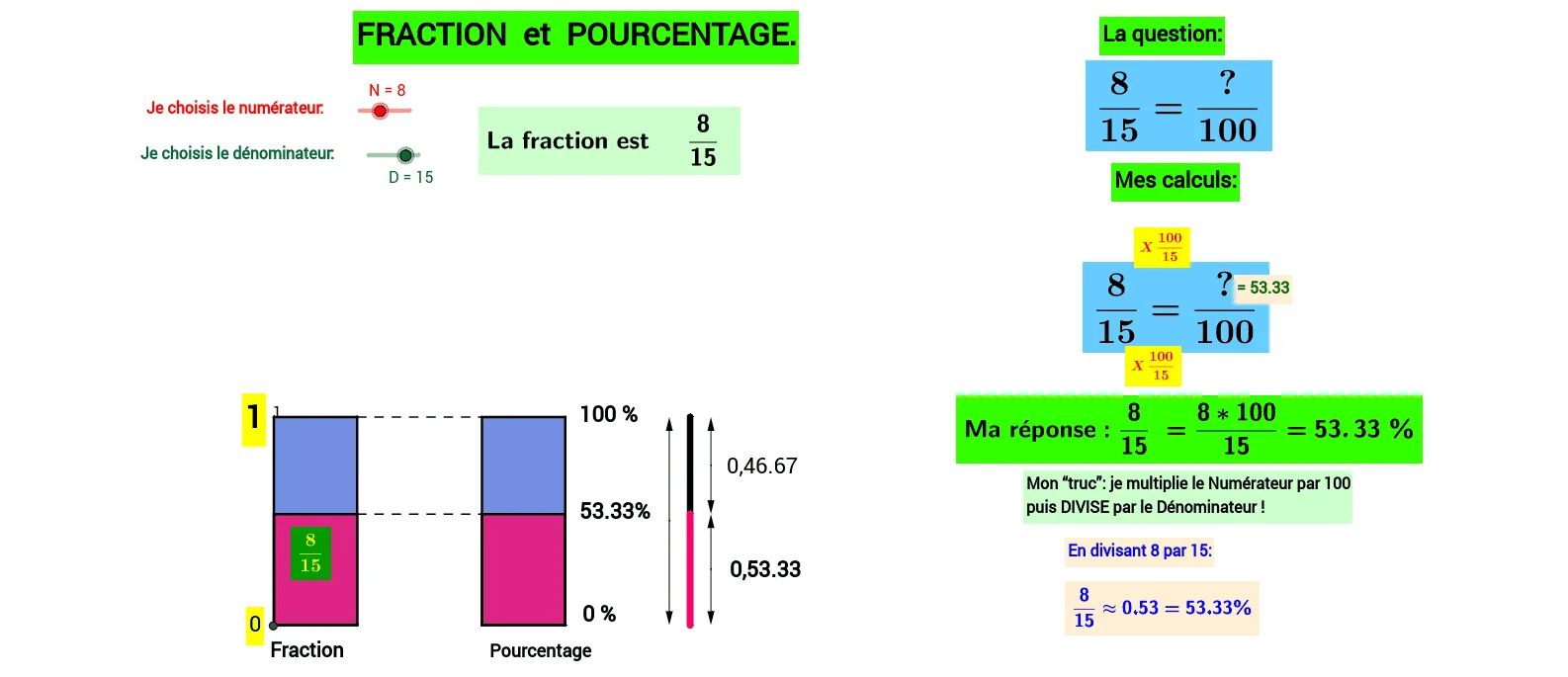
① This GeoGebra example dynamically demonstrates the relationship between fractions and percentages, using polygons, incircles, and statistical distribution shapes to visually represent proportional concepts in both geometry and statistics. ② Core mathematical concepts include fractions, percentages, ratios, polygon areas, properties of incircles, and statistical distributions (e.g., frequency distributions). ③ Construction highlights: using GeoGebra commands such as Polygon, Segment, Circle, Midpoint, Line, Intersect, and Vector to construct multiple polygons (poly1, poly2, poly3, poly4), incircles via Circle and Midpoint, and vectors to indicate proportions or directions; text objects (text7 to text10) display fraction and percentage values, creating an interactive teaching scene that combines geometry and statistics. ④ Suitable for upper elementary to middle school students learning fractions, percentages, and geometric relationships, and for teachers demonstrating proportional concepts in statistical charts, helping students build an intuitive understanding of number-shape connections.
GeoGebra Commands & Parameters
Polygon(F, H, C, B) → poly1, f, h_1, c, b_1Polygon(D_1, E, C, B) → poly2, d, e, c_1, b_2Polygon(I, K, J, G) → poly3, i, k, j, g_1Polygon(A, L, G, J) → poly4, a_1, l, g_2, j_1Segment(E, L) → mSegment(H, I) → nSegment(O, M) → pSegment(N_1, M) → qCircle(O, 1) → rMidpoint(E, C) → PLine(O, m) → sCircle(M, 1) → tCircle(N_1, 1) → c1Line(N_1, s) → a1Line(M, a1) → b1Intersect(r, s) → Q, RIntersect(c1, a1) → S, TIntersect(t, b1) → U, VMidpoint(Q, U) → WMidpoint(R, T) → ZMidpoint(T, V) → A1Vector(Z, R) → uVector(Z, T) → vVector(A1, T) → wVector(A1, V) → zVector(W, Q) → u1Vector(W, U) → v1Segment(O, R) → d1Segment(N_1, T) → e1Segment(M, V) → f1Midpoint(c) → A_1Midpoint(j) → B_1Intersect(yAxis, xAxis) → C_1
AI Drawing Prompt Reference
Draw four polygons (poly1, poly2, poly3, poly4) and add incircles to each. Use segments and midpoints to construct the sides of the polygons and the radii of the incircles, and find the intersection points to determine the positions of the incircles. Finally, use vectors to indicate proportions or directions.
The prompt above was compiled from the original drawing commands and is for reference only.