
Cycles of 5 Numbers! Curiosities!
Loading the math board and drawing, please wait…
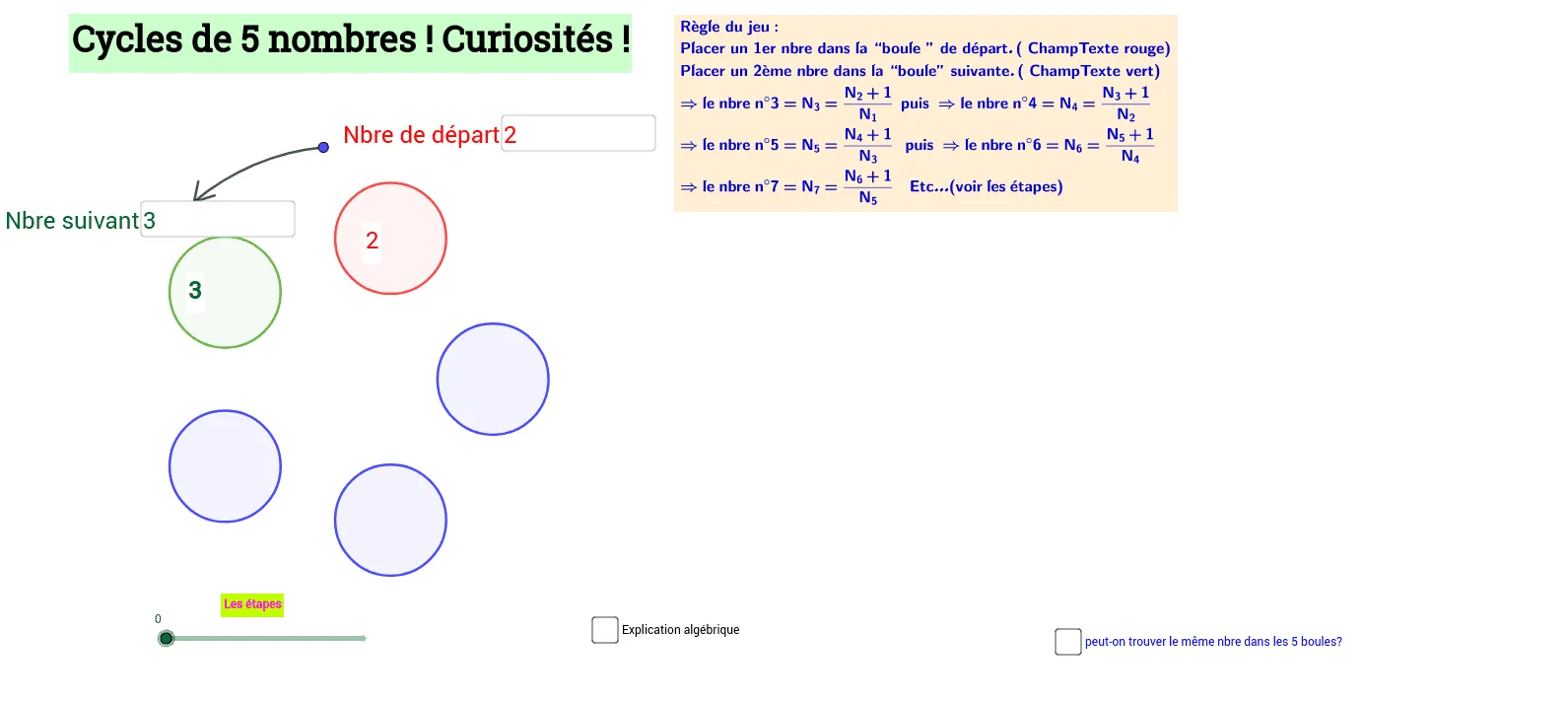
① This GeoGebra example dynamically demonstrates a curious phenomenon where five numbers (or five points) cycle through geometric configurations involving circles, triangles, and angle rotations, revealing playful connections between numbers and geometric structures. ② Core mathematical concepts include: circles and circular arcs, triangle interior/exterior angles, rotation transformations, angle measurement, conditional probability (possibly involving random selection or event likelihood), area calculation, and geometric transformations (rotation, translation). ③ Construction highlights: from the construction summary, the example uses GeoGebra commands such as Intersect (for intersection points), Circle, Rotate, Angle, CircleArc, Point, Segment, and Textfield; objects include multiple points (A, B, C, D, E, F, G, H, I, etc.), circle c, segments d/e/f/g/h/k, angles α/β/γ/δ/ε, and several text input fields (ChampTexte1/2) and text objects (texte1-5) for entering and displaying numbers. ④ Suitable for upper secondary or early university students, this example serves as an engaging exploration of geometric transformations and number cycles, ideal for math activities or classroom demonstrations to spark interest in the intersection of geometry and number theory.
GeoGebra Commands & Parameters
Intersect(yAxis, xAxis) → ACircle(A, 4) → cIntersect(c, xAxis, 2) → BRotate(B, (45° * 72), A) → B'Angle(B, A, B') → αRotate(B, 72°, A) → B'_1Angle(B, A, B'_1) → βRotate(B'_1, 72°, A) → CAngle(B'_1, A, C) → γRotate(C, 72°, A) → C'Angle(C, A, C') → δRotate(C', 72°, A) → C''Angle(C', A, C'') → εCircle(B'_1, 1.5) → dCircle(C, 1.5) → eCircle(C', 1.5) → fCircle(C'', 1.5) → gCircle(B, 1.5) → hIntersect(yAxis, xAxis) → DCircleArc(D, E, F) → kPoint(k) → GSegment(G, H) → iSegment(G, I) → jTextfield(N_1) → ChampTexte1Textfield(N_2) → ChampTexte2
AI Drawing Prompt Reference
Draw a circle centered at the origin with radius 4. Starting from the intersection of the circle with the positive x-axis, rotate this point around the center by 72 degrees repeatedly to create five equally spaced points on the circle. Mark the angles formed by each adjacent pair of these points with the center. Around each of these five points, draw a smaller circle of radius 1.5. Then draw a circular arc passing through the origin, place a point on this arc, and connect this point to two fixed points with line segments. Finally, add two text input fields for entering numbers. The overall figure shows five points cycling around, small circles surrounding them, and angle labels.
The prompt above was compiled from the original drawing commands and is for reference only.