
Fraction Multiplication Demo by STMY
Loading the math board and drawing, please wait…
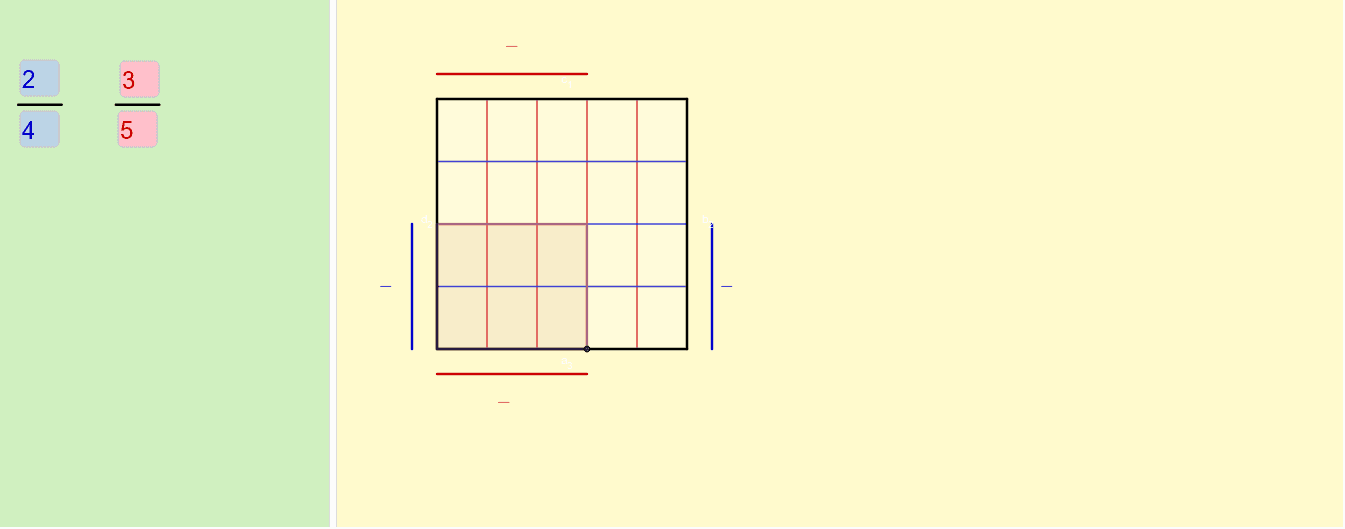
This example demonstrates the geometric interpretation of fraction multiplication through dynamic visuals, intuitively showing the process and result of multiplying fractions. It involves core math concepts like fraction operations, vectors, rectangles, GCD, and LCM. Constructed using commands like Sequence, Element, Segment, Midpoint, Polygon, GCD, Textfield, IntersectPath, Intersect. Suitable for middle school and above students to understand the geometric intuition and algebraic calculation of fraction multiplication.
GeoGebra Commands & Parameters
Sequence(A + (i / n * (B - A)), i, 1, n) → abSequence(A + (i / m * (D - A)), i, 1, m) → daElement(da, p) → G1Segment(A, B) → aSegment(B, C) → bSegment(C, D) → cSegment(D, A) → dSequence(D + (i / n * (C - D)), i, 1, n) → cdSequence(B + (i / m * (C - B)), i, 1, m) → bcSequence(Segment[Element[cd, i], Element[ab, i]], i, 1, n) → ColumnSequence(Segment[Element[bc, i], Element[da, i]], i, 1, m) → RowElement(ab, q) → ESegment(AX, EX) → eMidpoint(e) → FSegment(AY, GY) → fMidpoint(f) → HElement(cd, q) → E1Element(bc, p) → GPolygon(A, B, G, G1) → Fraction1, a_1, b_1, g, g1Polygon(A, E, E1, D) → Fraction2, a_2, e_1, e1, d_1GCD(p, m) → FPB1GCD(q, n) → FPB2Segment(BY, GY1) → hMidpoint(h) → MSegment(DX, EX1) → iMidpoint(i) → NTextfield(p) → Numerator1Textfield(m) → Denominator1Textfield(q) → Numerator2Textfield(n) → Denominator2Textfield(j) → LengthGCD(p1Xq1, m1Xn1) → FPB3IntersectPath(Fraction1, Fraction2) → Result, k, O_1, l, t, c_2, f_1, I, J, K, LPolygon(A, B, C, D) → Original, a_3, b_2, c_1, d_2Segment(J, E) → g_1Segment(K, I) → h_1Intersect(g_1, h_1) → OSegment(P, Q) → i_1Segment(R, S) → j_1Textfield(o) → InputBox1
AI Drawing Prompt Reference
Draw a rectangle ABCD and demonstrate the process of fraction multiplication through geometric construction. Start by drawing a grid of equally divided line segments from point A, using AB and AD as the sides. Then, construct two rectangles, Fraction1 and Fraction2, using these line segments to represent the multiplication of two fractions. Use the GCD function to find the least common multiple of these fractions and further construct and intersect them to obtain the result rectangle Result. This process visually illustrates the geometric meaning of fraction multiplication.
The prompt above was compiled from the original drawing commands and is for reference only.