
Fraction Basics
Loading the math board and drawing, please wait…
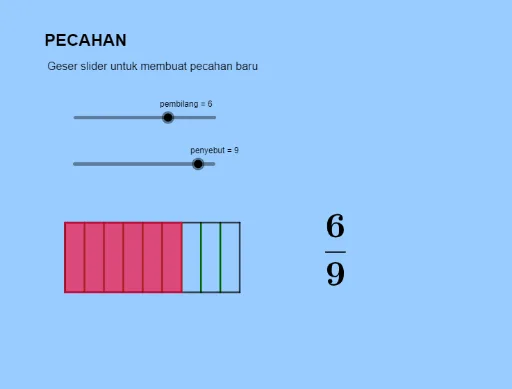
This example demonstrates the basic concepts of fractions, including addition and geometric mean. Using GeoGebra commands such as Intersect, Point, and Segment, the example constructs the numerator and denominator of a fraction. Suitable for high-grade elementary and junior high school students to learn basic fraction operations and concepts.
GeoGebra Commands & Parameters
Intersect(xAxis, yAxis) → APoint(xAxis) → BPoint(yAxis) → CSegment(A, B) → fSegment(B, D) → gSegment(D, C) → hSegment(C, A) → iSequence(A + ((B - A) * t), t, 0, 1, 1 / penyebut) → L_1Sequence(C + ((D - C) * t), t, 0, 1, 1 / penyebut) → L_2Sequence(C + ((D - C) * t), t, 0, 1, 1 / penyebut) → L_3Sequence(Segment[Element[L_1, k], Element[L_2, k]], k, 1, penyebut) → L_4Sequence(Segment[Element[L_1, k], Element[L_2, k]], k, 1, penyebut) → L_5Point(Circle[A, a]) → EPolygon(A, E, F, C) → q1, a_1, e, f_1, c
AI Drawing Prompt Reference
Draw a coordinate plane with two perpendicular axes intersecting at the origin. Mark a point on the horizontal axis and another on the vertical axis, then connect the origin to these points with line segments, forming a right triangle. Divide the horizontal and vertical segments into equal parts, and connect corresponding division points with parallel lines to create a grid. Then draw a circle centered at the origin, pick a point on it, and form a quadrilateral using the origin, that point, and two other points. The figure illustrates fraction concepts through grid division and geometric shapes.
The prompt above was compiled from the original drawing commands and is for reference only.