
Foiling the Parrot Beak Demo
Loading the math board and drawing, please wait…
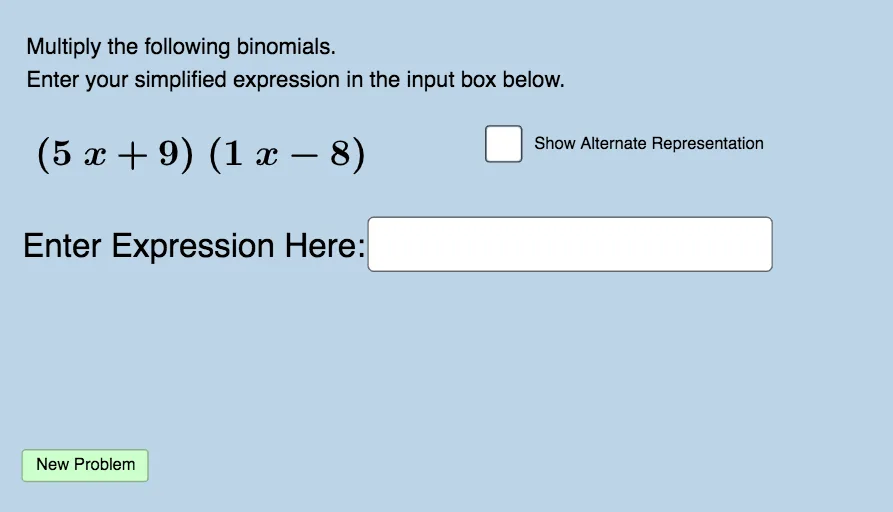
This example demonstrates the multiplication of two binomials using GeoGebra, visually showing the process and result. Core math concepts include binomial multiplication, polynomial expansion, and algebraic operations. It leverages commands like Sequence, Union, RandomElement, and Textfield to dynamically generate and display intermediate steps of the multiplication. Suitable for middle school and above students to grasp the application and geometric intuition of the foil method.
GeoGebra Commands & Parameters
Sequence(i, i, -10, -1, 1) → leftlistSequence(i, i, 1, 10, 1) → rightlistUnion(leftlist, rightlist) → list1RandomElement(list1) → aRandomElement(list1) → bRandomElement(list1) → cRandomElement(list1) → dTextfield(h) → InputBox1
AI Drawing Prompt Reference
Visualize the multiplication of two binomials, showing the process and result with dynamically generated intermediate steps. Include randomly selected numbers representing terms of the binomials, display them in a text box, and illustrate the expansion process graphically, suitable for middle school students to grasp the foil method and polynomial expansion.
The prompt above was compiled from the original drawing commands and is for reference only.