
Flower of Life / Blume des Lebens (GeoGebra)
Loading the math board and drawing, please wait…
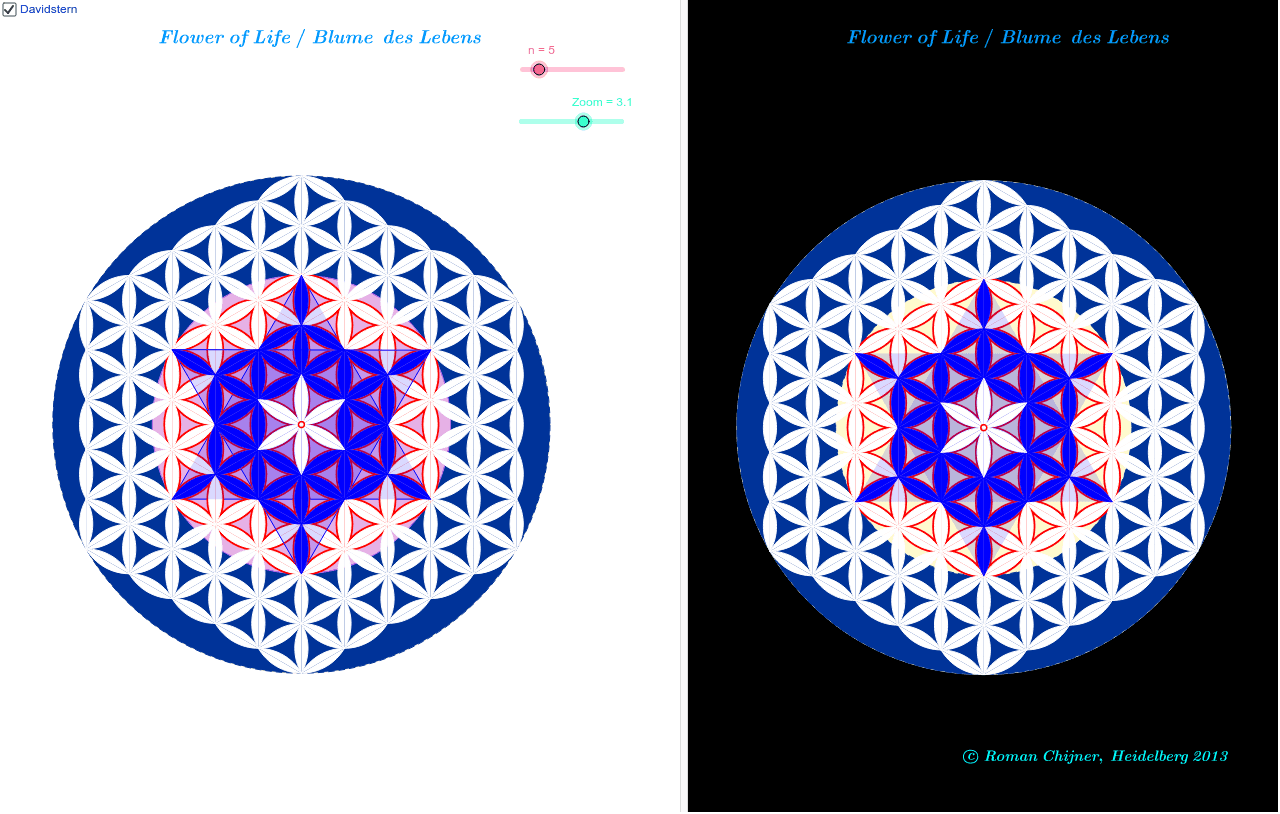
This example demonstrates how to draw the famous Flower of Life pattern using GeoGebra, consisting of nested circles and their resulting geometric shapes. Core math concepts include circles, polygons, sequences, geometric construction, and linear equations. The construction uses commands like Circle, Sequence, Point, and Polygon, controlled by parameters for generating and connecting circles. Suitable for high school and above students to explore geometric generation rules, or for math clubs.
GeoGebra Commands & Parameters
Circle(A, 3 * Zoom) → f0Sequence(A + (Zoom; π / 3 * (0.5 + i)), i, 0, 6) → l2Sequence({CircleArc[Element[l2, k1], Element[l2, k1 + 1], A], CircleArc[Element[l2, k1 + 2], A, Element[l2, k1 + 1]]}, k1, 0, 6) → l22Sequence(Sequence[Sequence[Translate[Translate[Element[l22, k1 + 1], (Element[l2, k1 + 1] - A) * j], (Element[l2, k1] - A) * i], j, -3 + If[i > 0, 0, -i], 2 + If[i ≤ 0, 0, -i]], i, -3, 3], k1, 1, 3) → ll7cPoint(f0) → BPoint(f0) → CPoint(ll7c) → DPolygon(B, C, D) → Vieleck1, d, b, c_1Sequence(Sequence[Sequence[Element[Element[Element[ll7c, k], l], m], m, If[l ≟ 4, 1, 2], If[l < 4, l + 1, If[l ≟ 4, 6, If[l ≟ 5, 4, 3]]]], l, 2, 6], k, 1, 3) → ll095Point(f0) → FPoint(f0) → GPoint(f0) → EPolygon(F, G, E) → Vieleck2, e, f_1, gSequence(Sequence[Sequence[Translate[Translate[Element[l22, k1 + 1], (Element[l2, k1 + 1] - A) * j], (Element[l2, k1] - A) * i], j, -n + If[i > 0, 0, -i], n - 1 + If[i ≤ 0, 0, -i]], i, -n, n], k1, 1, 3) → ll8cCircle(A, n * Zoom) → f1
AI Drawing Prompt Reference
Draw the Flower of Life pattern by first creating a circle, then drawing 6 concentric circles around it, followed by arcs between these circles to form petal shapes. Use translations and rotations of these arcs to generate multiple layers of petals, ultimately creating a complex geometric design.
The prompt above was compiled from the original drawing commands and is for reference only.