
Fixed Perimeter of 200 Meters Construction
Loading the math board and drawing, please wait…
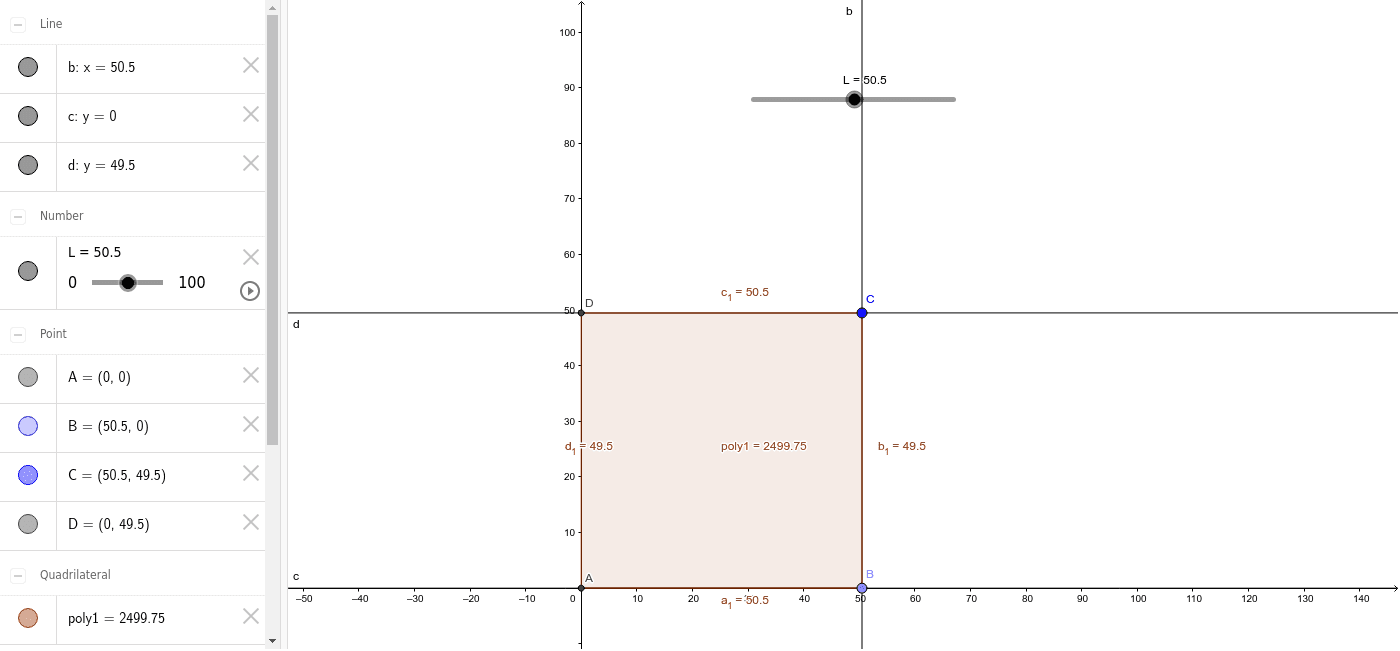
This example demonstrates the construction and properties of various shapes (triangles, quadrilaterals, etc.) with a fixed perimeter of 200 meters. It involves core mathematical concepts like perimeter, linear functions, parametric equations, vectors, and coordinate geometry. Key GeoGebra commands used include Intersect, Point, Segment, OrthogonalLine, and Polygon. Suitable for high school and above students studying geometric constructions and optimization problems.
GeoGebra Commands & Parameters
Intersect(xAxis, yAxis) → APoint(Circle[A, L]) → BSegment(A, B) → aOrthogonalLine(C, a) → bOrthogonalLine(A, yAxis) → cOrthogonalLine(C, yAxis) → dIntersect(d, yAxis) → DPolygon(A, B, C, D) → poly1, a_1, b_1, c_1, d_1
AI Drawing Prompt Reference
Draw a shape with a fixed perimeter of 200 meters, starting with a circle centered at the origin with a radius of 100 meters. Connect the intersection points of the circle with the x-axis and y-axis to form a line segment. From the midpoint of this segment, draw a perpendicular line to the segment that intersects the y-axis. Finally, connect the center of the circle, the intersection point on the y-axis, and the endpoint on the x-axis to form a quadrilateral.
The prompt above was compiled from the original drawing commands and is for reference only.