
First Derivative by StudyForge Interactives
Loading the math board and drawing, please wait…
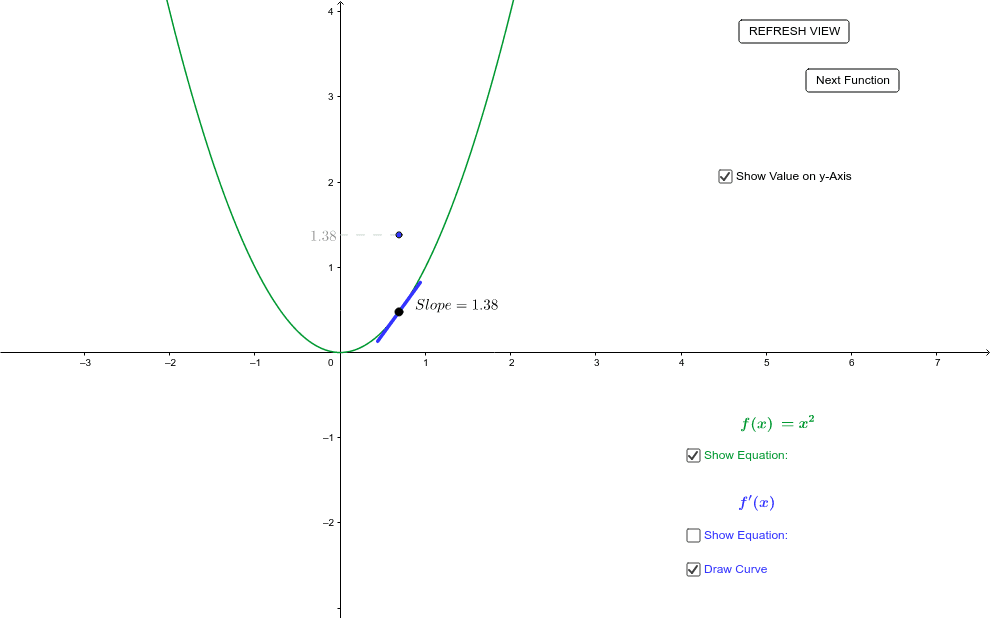
This GeoGebra applet demonstrates the relationship between the first derivative and its function by dragging a point on the curve. Key concepts include derivatives and functions. Commands used include Point, Tangent, Slope, and Segment. Suitable for high school math education and learning.
GeoGebra Commands & Parameters
Point(f) → ATangent(A, f) → aSlope(a) → slopeSegment(D, B) → hSegment((x(A) - 0.25, y(A) - 0.25 * g(x(A))), (x(A) + 0.25, y(A) + 0.25 * g(x(A)))) → Slope_1
AI Drawing Prompt Reference
Draw a function curve and drag a point on it to show the tangent line and its slope. Then draw a segment between the tangent line and the x-axis, and another segment representing the slope value.
The prompt above was compiled from the original drawing commands and is for reference only.