
Finding Equivalent Fraction Given Its Denominator (Bilingual Interactive Practic
Loading the math board and drawing, please wait…
In collections
Fractions الكسور
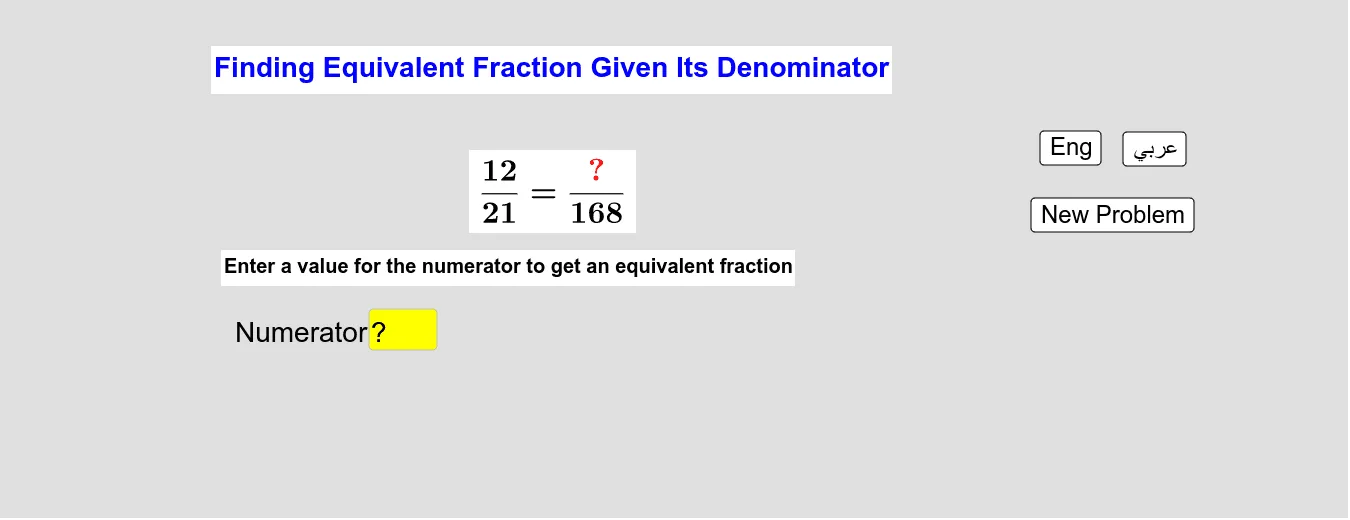
This interactive GeoGebra example demonstrates how to find an equivalent fraction when a new denominator is provided. The core mathematical concept is the fundamental property of fractions: multiplying or dividing both numerator and denominator by the same non-zero integer leaves the value unchanged. The construction uses Textfield and InputBox for user input of the denominator, If and Random commands to generate random original fractions, and buttons to reveal answers or switch between Arabic and English interfaces. Key objects include text1, a, b, A, B, C, D, d, c, button1, inputBox3, text10, Arab, Eng, button3, button4, text13, q, text6, text9, text8, f, Showq, ShowAnswer, m, text3, text11, text2, text4, text5, forming a complete interactive feedback system. Suitable for upper elementary to middle school students learning fraction equivalence, and useful for classroom demonstrations or self-paced practice with bilingual support.
GeoGebra Commands & Parameters
Textfield(c) → inputBox3If(Arab, "خطأ", "Bad Answer") → text9If(Arab, "صواب", "Good Answer") → text8Random(2, 9) → f
AI Drawing Prompt Reference
Create an interactive fraction equivalence practice interface. Display a randomly generated fraction (numerator and denominator between 2 and 9) in the center, with an input box beside it for the user to enter a new denominator. Below, include two buttons: one to reveal the answer and one to toggle between Arabic and English. After the user inputs a denominator, show the equivalent fraction and provide feedback (correct shows "Good Answer", incorrect shows "Bad Answer"). Keep the layout clean and educational, with clear text and simple visuals.
The prompt above was compiled from the original drawing commands and is for reference only.