
Finding Area of Hexagon with GeoGebra
Loading the math board and drawing, please wait…
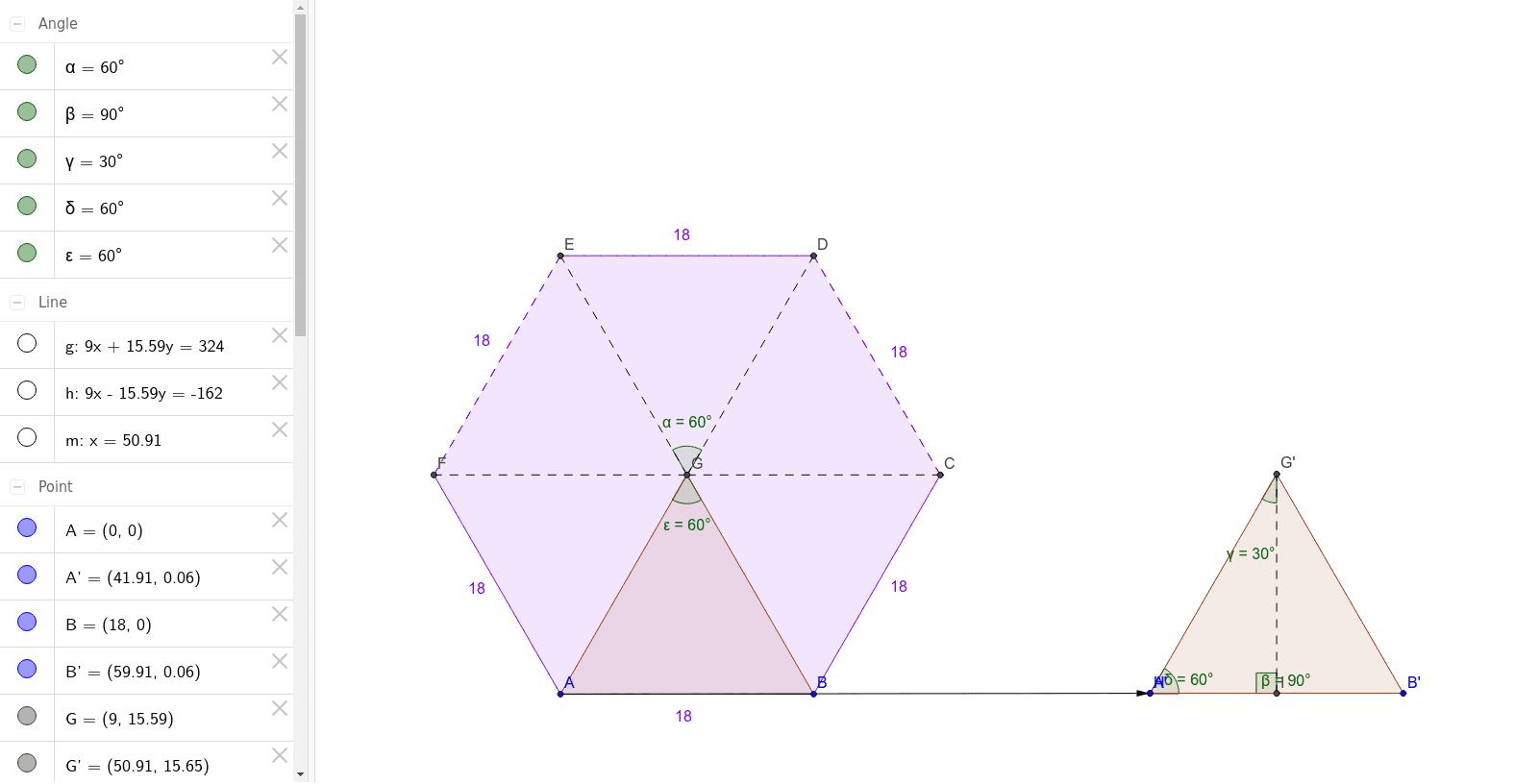
This example demonstrates how to calculate the area of a regular hexagon using GeoGebra geometric tools. The core math concepts involved include polygon area formulas, perpendicular bisectors, vectors, angle calculations, etc. Key GeoGebra commands used are Polygon, LineBisector, Intersect, Segment, Angle, Vector, Translate, and OrthogonalLine. Suitable for high school students and teachers for learning and teaching purposes, particularly in analytical geometry and geometric construction.
GeoGebra Commands & Parameters
Polygon(A, B, 6) → poly1, a, F, b, c, d, e, f, C, D, ELineBisector(e) → gLineBisector(c) → hIntersect(g, h) → GPolygon(A, G, B) → poly2, b_1, a_1, g_1Segment(G, F) → iSegment(G, E) → jSegment(G, D) → kSegment(G, C) → lAngle(D, G, E) → αVector(A, H) → uTranslate(A, u) → A'Translate(G, u) → G'Translate(B, u) → B'Polygon(A', G', B') → poly2', b', a', g'OrthogonalLine(G', g') → mIntersect(m, g') → ISegment(I, G') → nAngle(G', I, H) → βAngle(H, G', I) → γAngle(I, H, G') → δAngle(A, G, B) → ε