
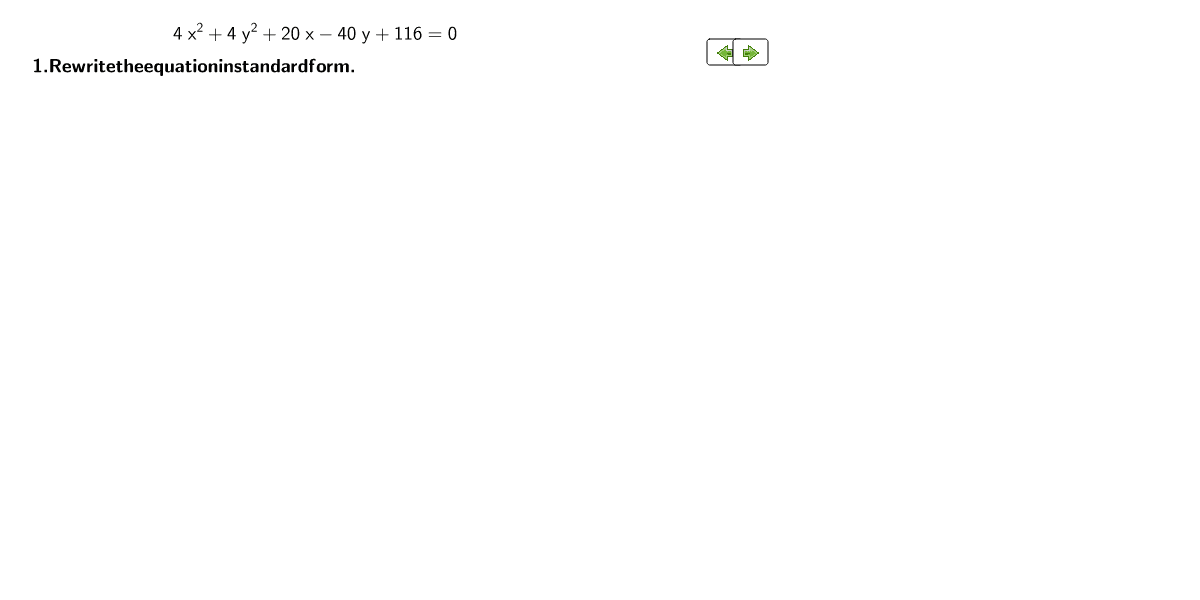
Find Circle Center and Radius from Equation
Loading the math board and drawing, please wait…
In collections
PARCC Math III Unit 5 Lesson 6
This example demonstrates how to find the center and radius of a circle given its equation using coordinate geometry. Key concepts include the circle's equation, handling quadratic coefficients, and completing the square. GeoGebra commands such as Element, Textfield, and FractionText are used to illustrate the relationship between the equation and the geometric shape. Suitable for high school math education.
GeoGebra Commands & Parameters
Element(yList, 2) → yTermElement(xList, 2) → xTermTextfield(f) → inputBox4Element(xList, 1) → xSqTermElement(yList, 1) → ySqTermFractionText(radius_{circle}) → radiusTextFractionText((Vertex_h, vertex_k)) → centerPt
AI Drawing Prompt Reference
Draw a circle given by the equation x^2 + y^2 + 2ax + 2by + c = 0. First, complete the square to transform the equation into the standard form (x-h)^2 + (y-k)^2 = r^2 to find the center (h, k) and radius r. Input the coefficients a, b, and c, calculate the center and radius, then plot the circle on the coordinate plane and display the center and radius values.
The prompt above was compiled from the original drawing commands and is for reference only.